
Tooth chart
Tap a tooth, say what you found, which surfaces, and whether it is already there, needs doing, or was done today.
- Where
- Patientsa patientChart
The chart is the clinic's memory of the mouth. Findings marked Needs doing flow straight into treatment plans and appear as one-tap options on the visit.
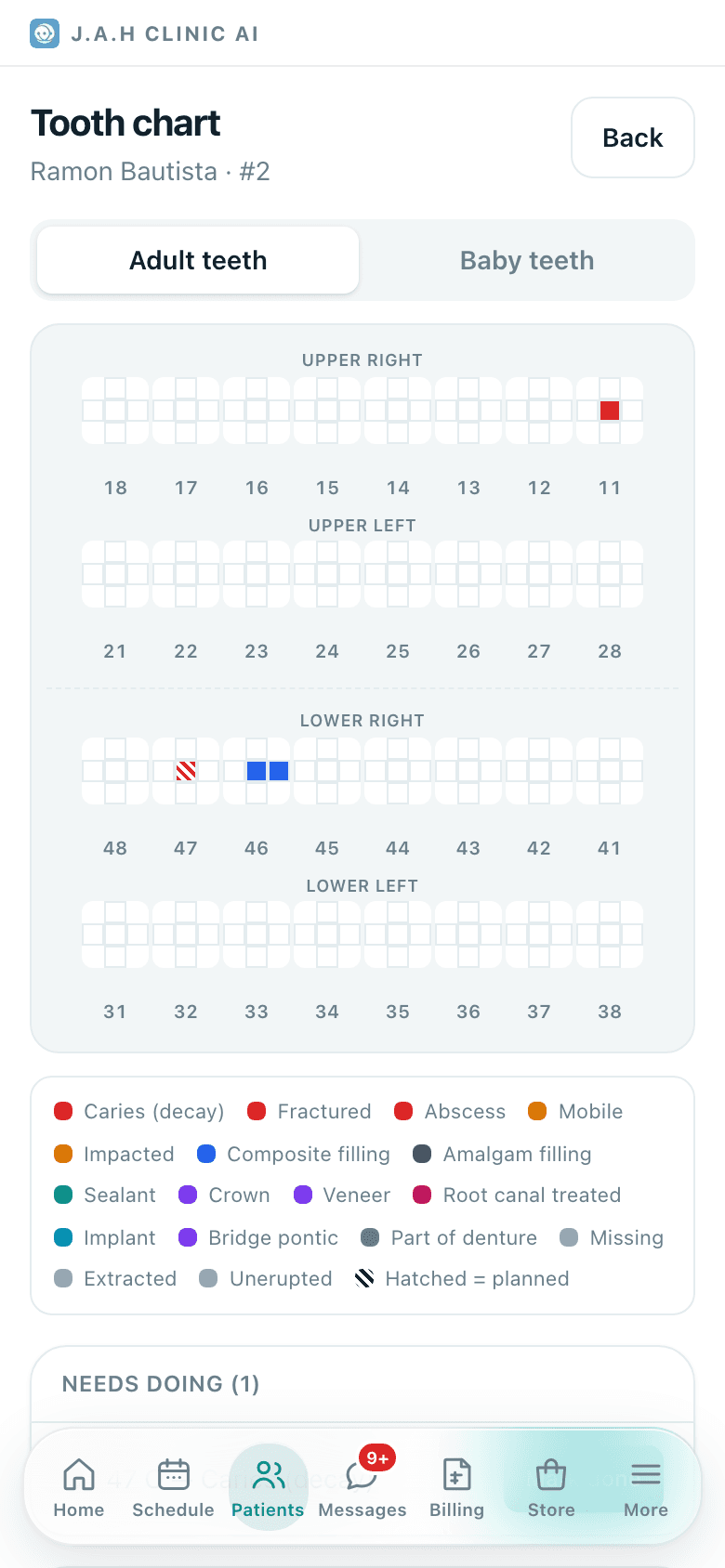
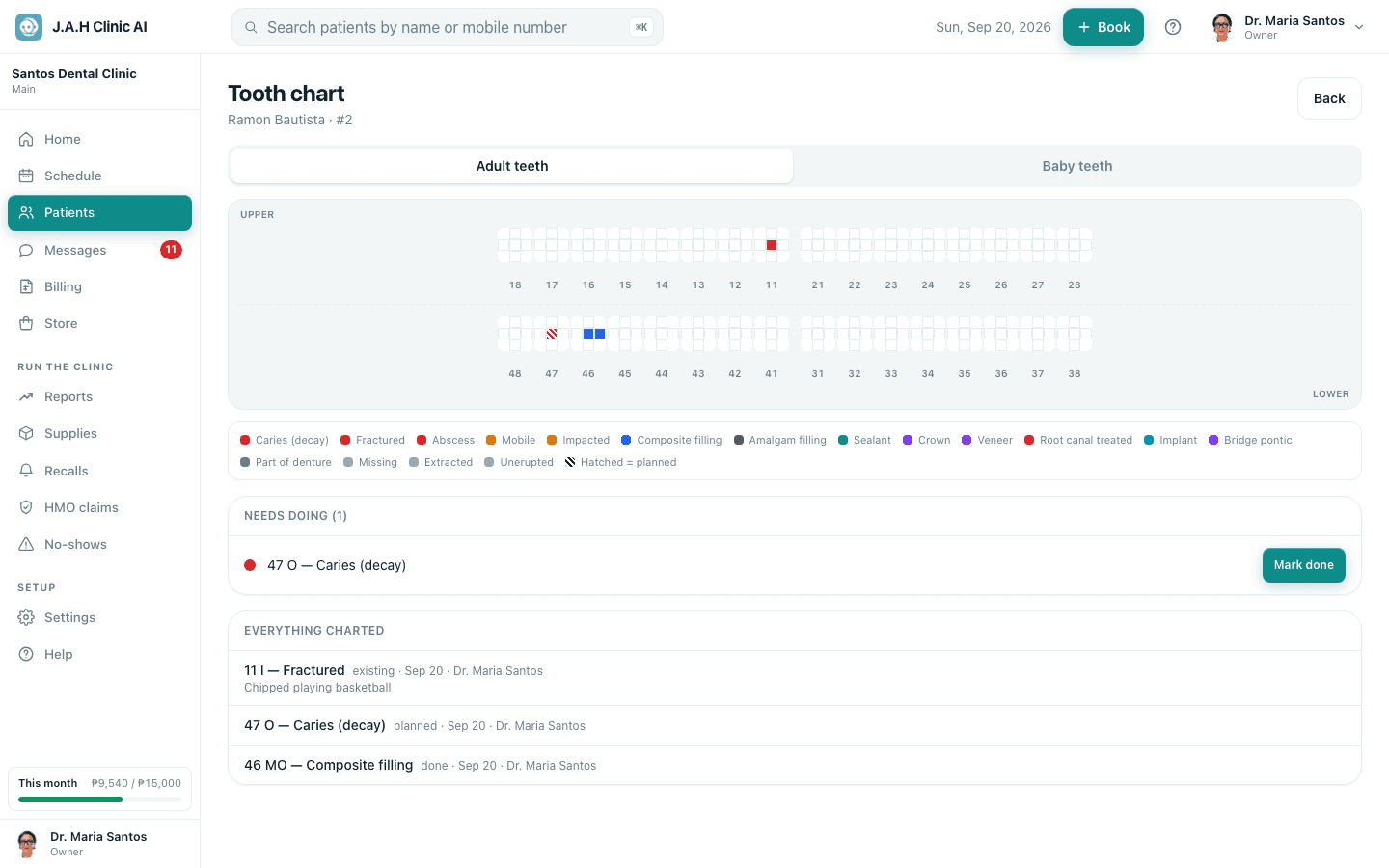
| Control | What it does |
|---|---|
| Adult teeth / Baby teeth | Swaps between the permanent and the deciduous chart |
| A tooth | Opens the tooth sheet |
| Needs doing card | Every planned finding, each with Mark done |
| Everything charted | The full history, newest first, with who charted it |
| Back | Returns to the patient record |
The tooth sheet
- 1
Tap a tooth. The sheet shows its name and number, and anything already charted on it (each with Remove).
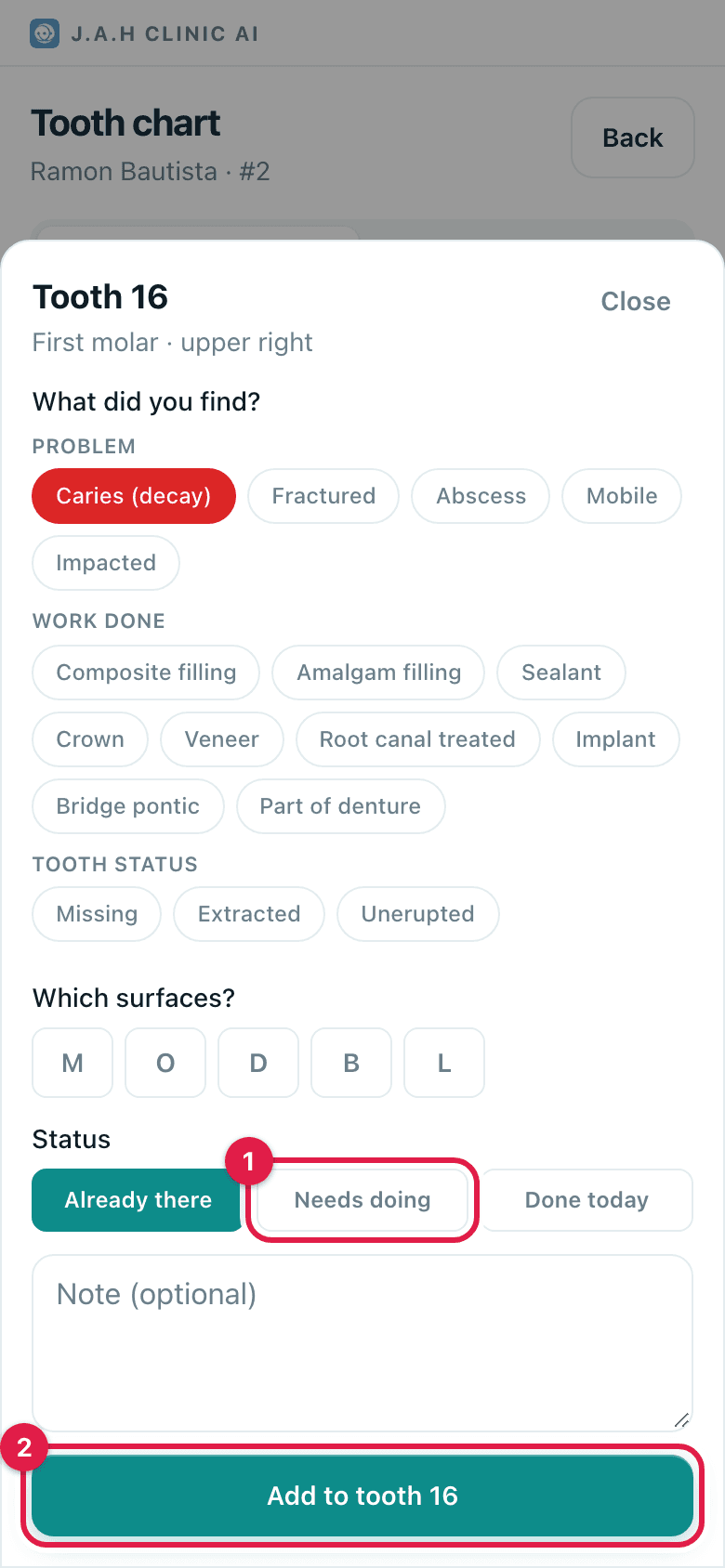
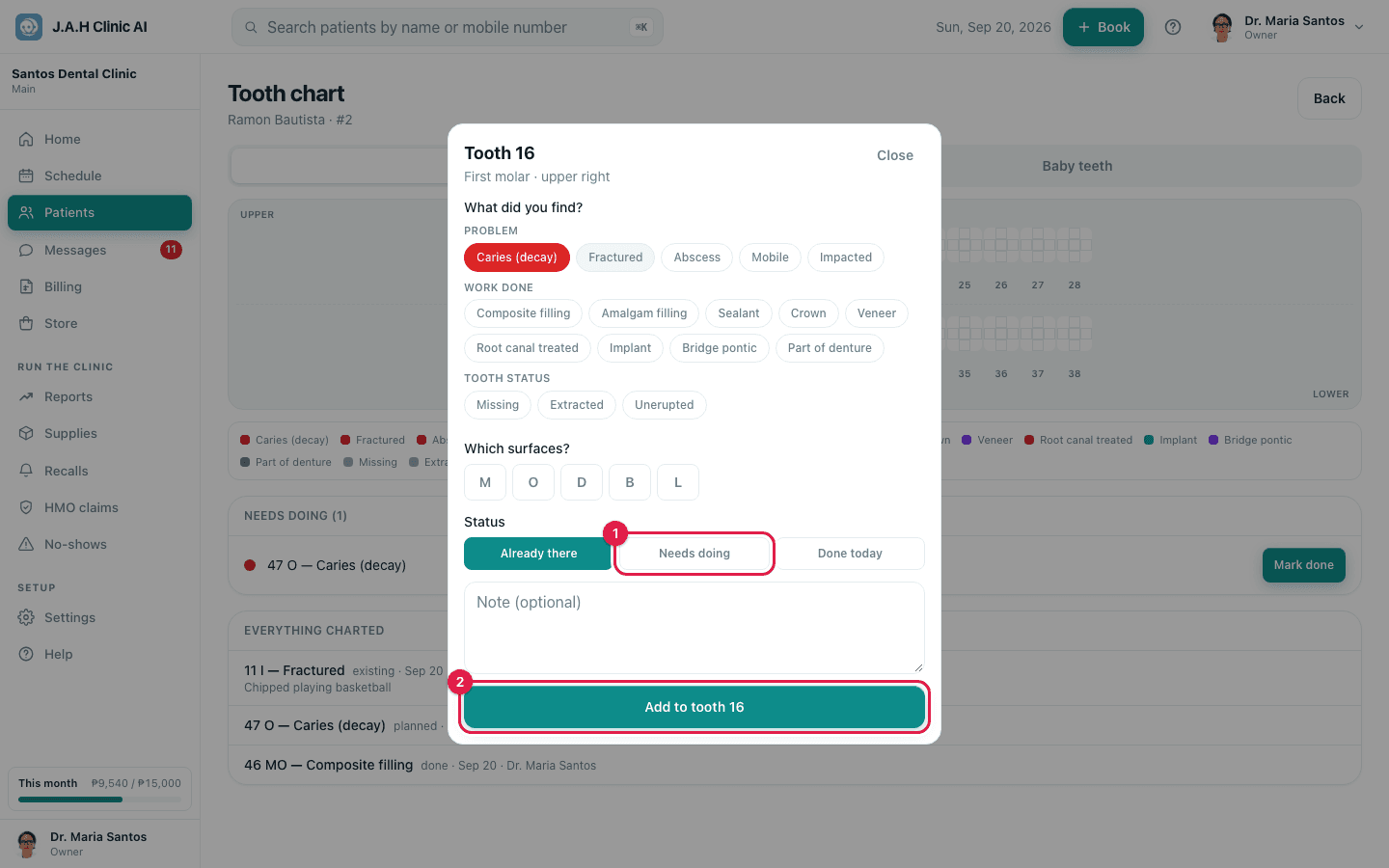
- 2
What did you find? Pick a chip. Problem: Caries (decay), Fractured, Abscess, Mobile, Impacted. Work done: Composite filling, Amalgam filling, Sealant, Crown, Veneer, Root canal treated, Implant, Bridge pontic, Part of denture. Tooth status: Missing, Extracted, Unerupted.
- 3
Which surfaces? For surface findings tap the letters: M, O (or I on front teeth), D, B, L.
- 4
Status: Already there for old work, Needs doing for work to plan, Done today for work just finished.
- 5
Add a note if useful, then tap Add to tooth 16 (the number is the tooth you picked).
Ask the assistant
Answers from this guide, in plain English. Usually under a minute.It only knows what is in this guide and never sees patient records. Not answered? Search or message the J.A.H team.