
The visit screen
What the dentist records here becomes the bill, the history and the production figure.
- Where
- ScheduleSeat patient
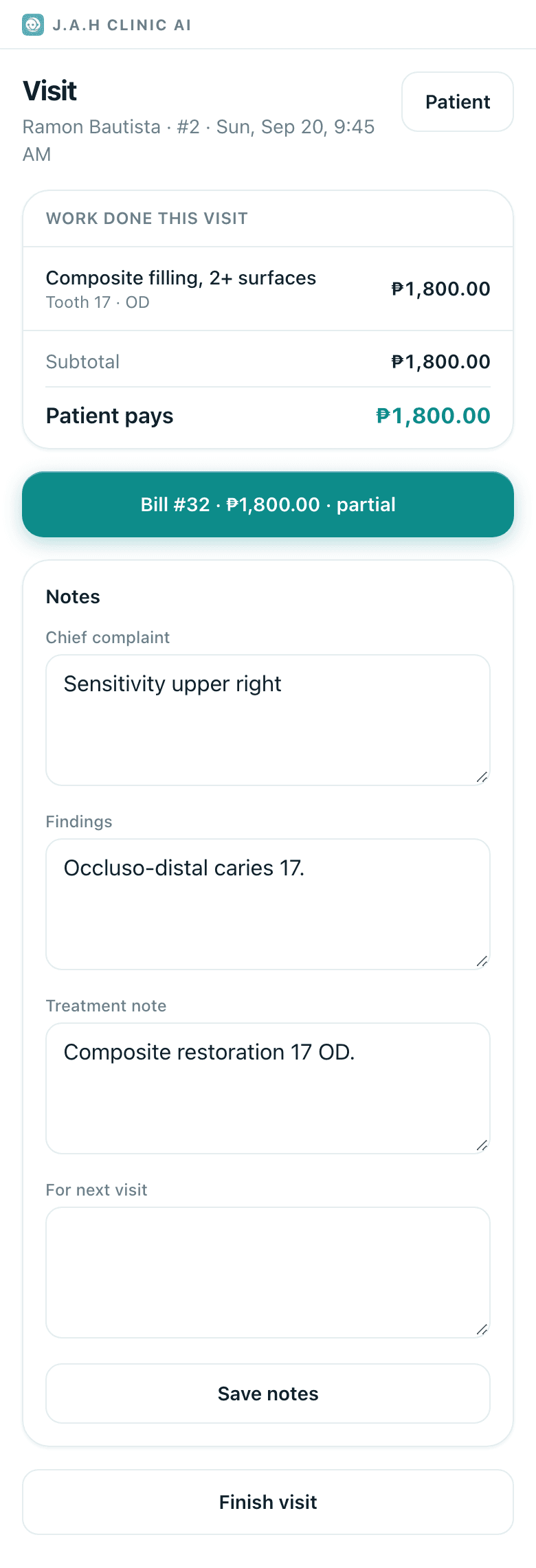
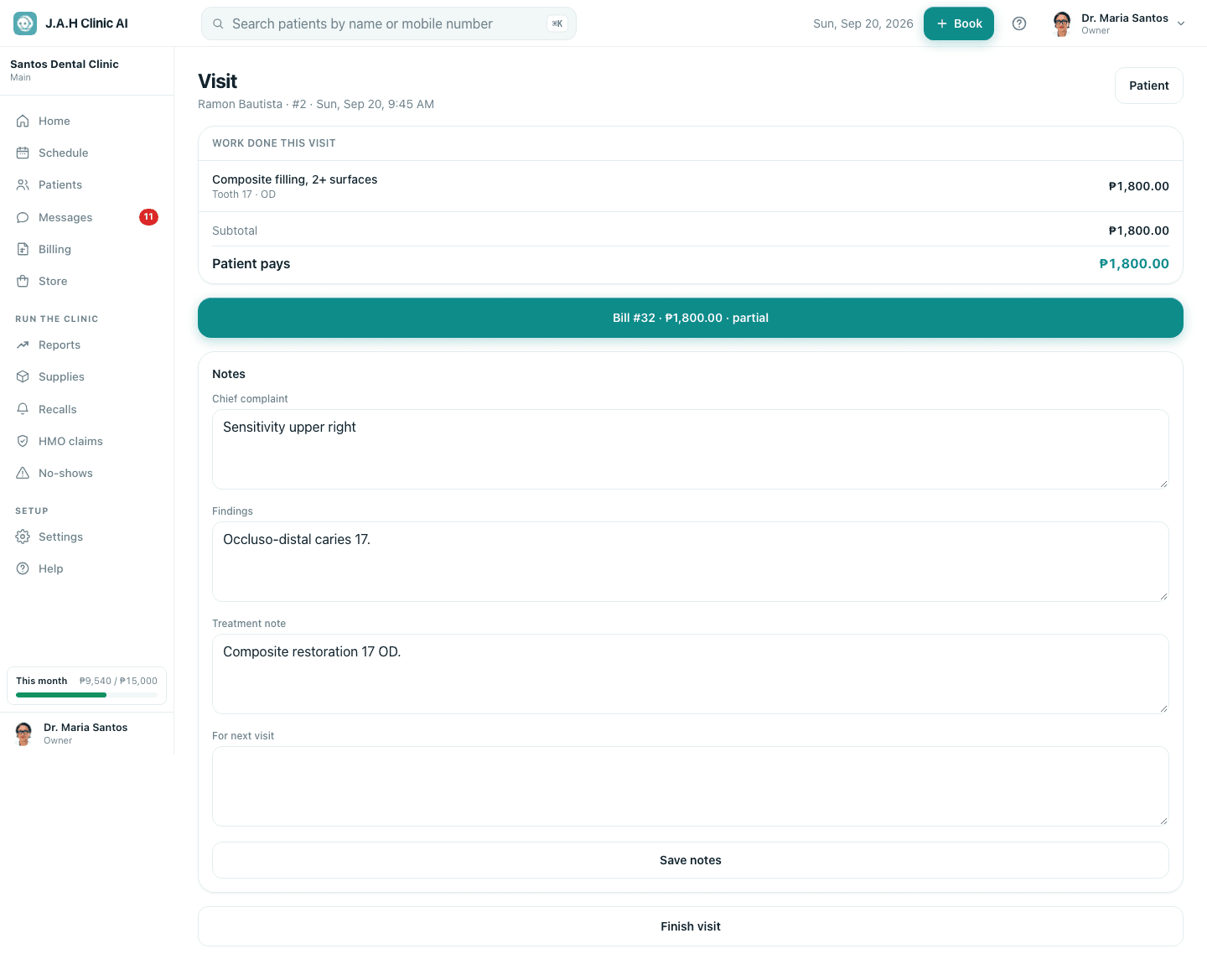
Seat patient on the schedule opens this. It is one screen with the allergy line at the top, the work done so far, the form to record more, notes, and two buttons at the foot.
| Part | What it does |
|---|---|
| Patient | Opens the record |
| Work done this visit | Each procedure with tooth, surfaces, quantity and total; Remove until a bill exists. Subtotal, VAT, the senior or PWD discount and Patient pays are worked out for you |
| From the treatment plan chips | Tap one to fill the form with that accepted item |
| Record what was done | What was done · Tooth · Surfaces · Qty · Price charged (blank = list price), then Record work |
| Still open on the teeth you worked on | Planned findings on those teeth, each with Mark treated |
| Notes | Chief complaint · Findings · Treatment note · For next visit, then Save notes |
| Create the bill | Makes the bill from the work above and opens it |
| Finish without billing / Finish visit | Marks the appointment Done and returns to the patient |
Ask the assistant
Answers from this guide, in plain English. Usually under a minute.It only knows what is in this guide and never sees patient records. Not answered? Search or message the J.A.H team.