
More and Settings
Profile, the run-the-clinic screens, the six settings screens, and Sign out.
- Where
- More
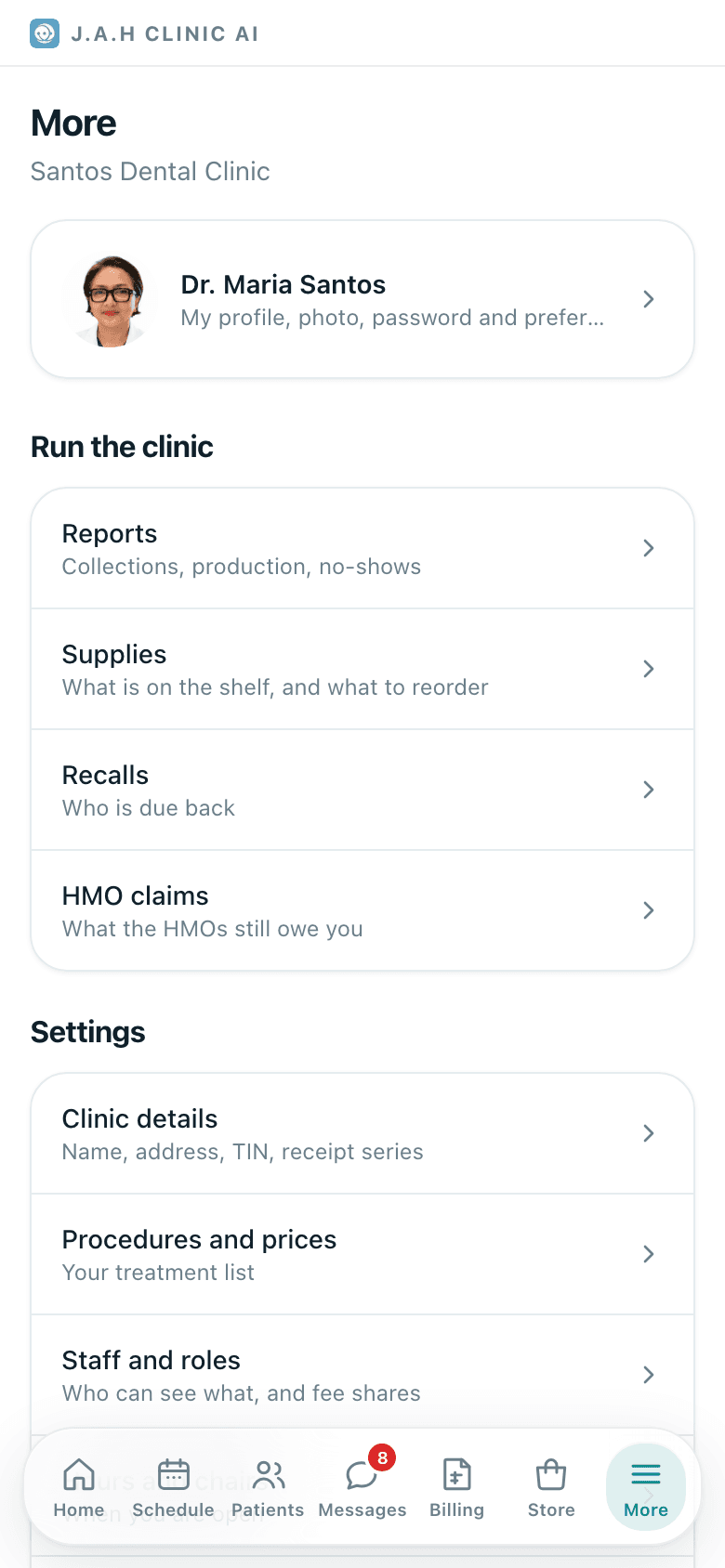
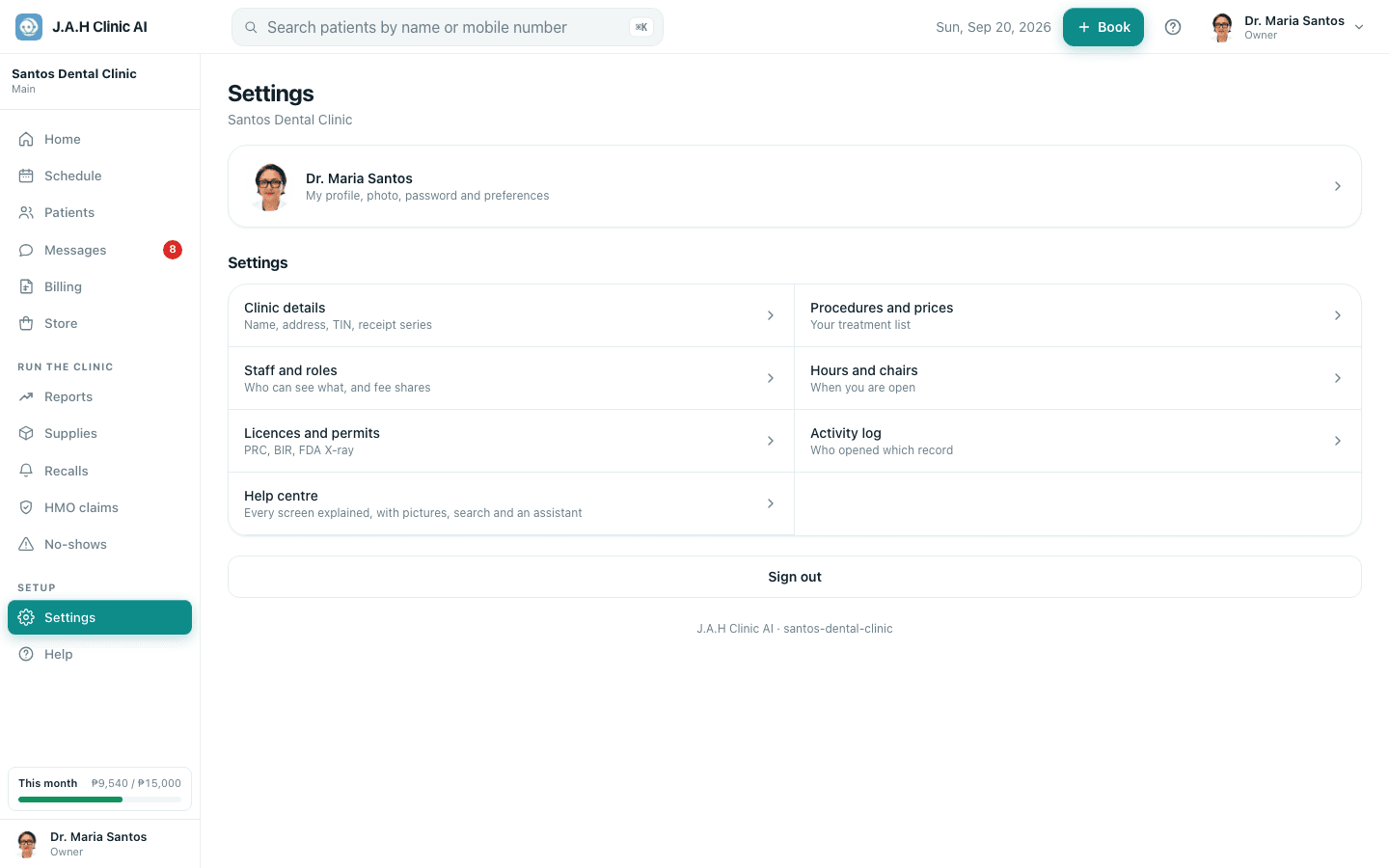
On a phone, More is the seventh tab and holds everything that is not daily. On a laptop the same page is called Settings and the run-the-clinic screens are in the sidebar instead.
| Row | Goes to |
|---|---|
| Your name card | Profile: photo, details, colour, appearance, password, Face ID |
| Reports · Supplies · Recalls · HMO claims (phone only) | The run-the-clinic screens |
| Clinic details | Name, address, phone, email, TIN, permit number, VAT-registered, receipt prefix and next receipt number, your booking page address |
| Procedures and prices | Your price list: Price · Minutes · Online (bookable by patients) · Active, per procedure, and Add a procedure |
| Staff and roles | Each person with Edit (role, fee share, PRC number) and Disable; the Invite someone form |
| Hours and chairs | Open and close per day, Closed days, and the chairs you can fill at once |
| Licences and permits | PRC, BIR, mayor's permit, FDA X-ray licence, with expiry badges and a warning at 60 days |
| Activity log | Who opened or changed which record; read-only, kept on every tier |
| Sign out | Ends this device's session |
Two settings that change every receipt
Inviting staff
- 1
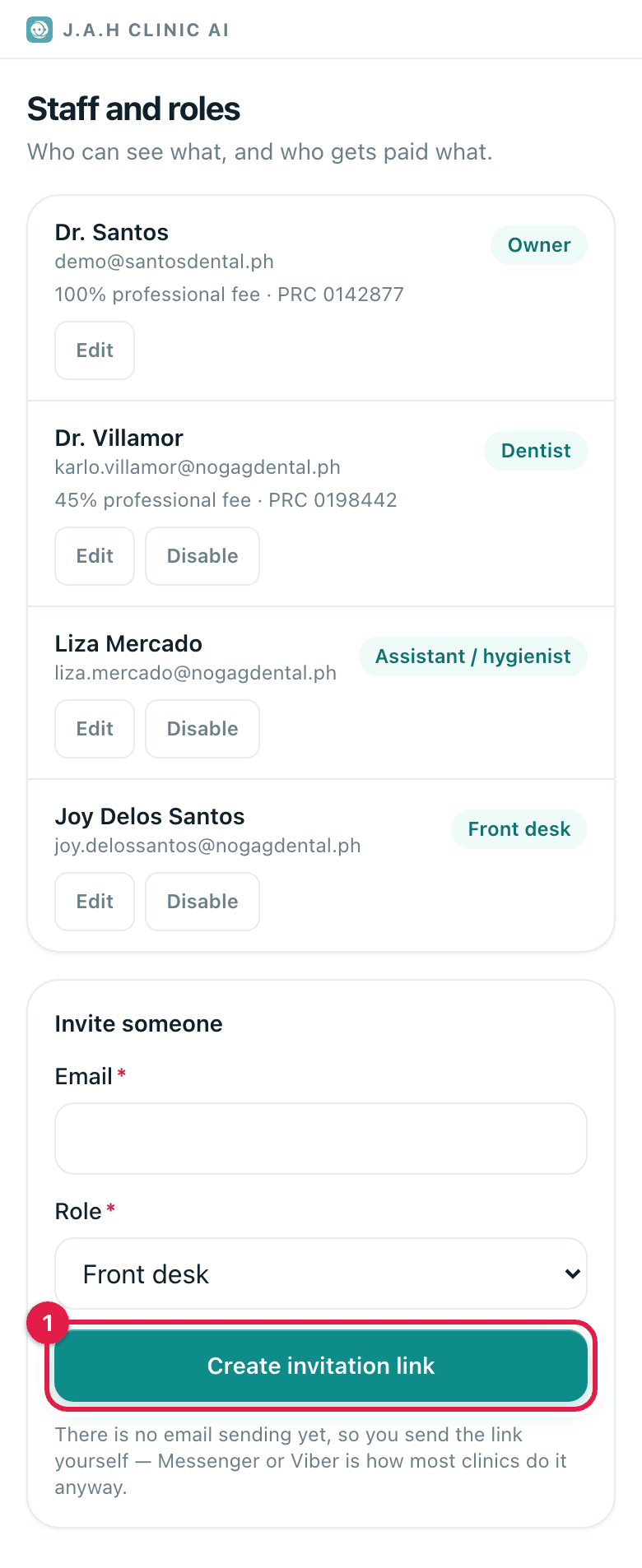
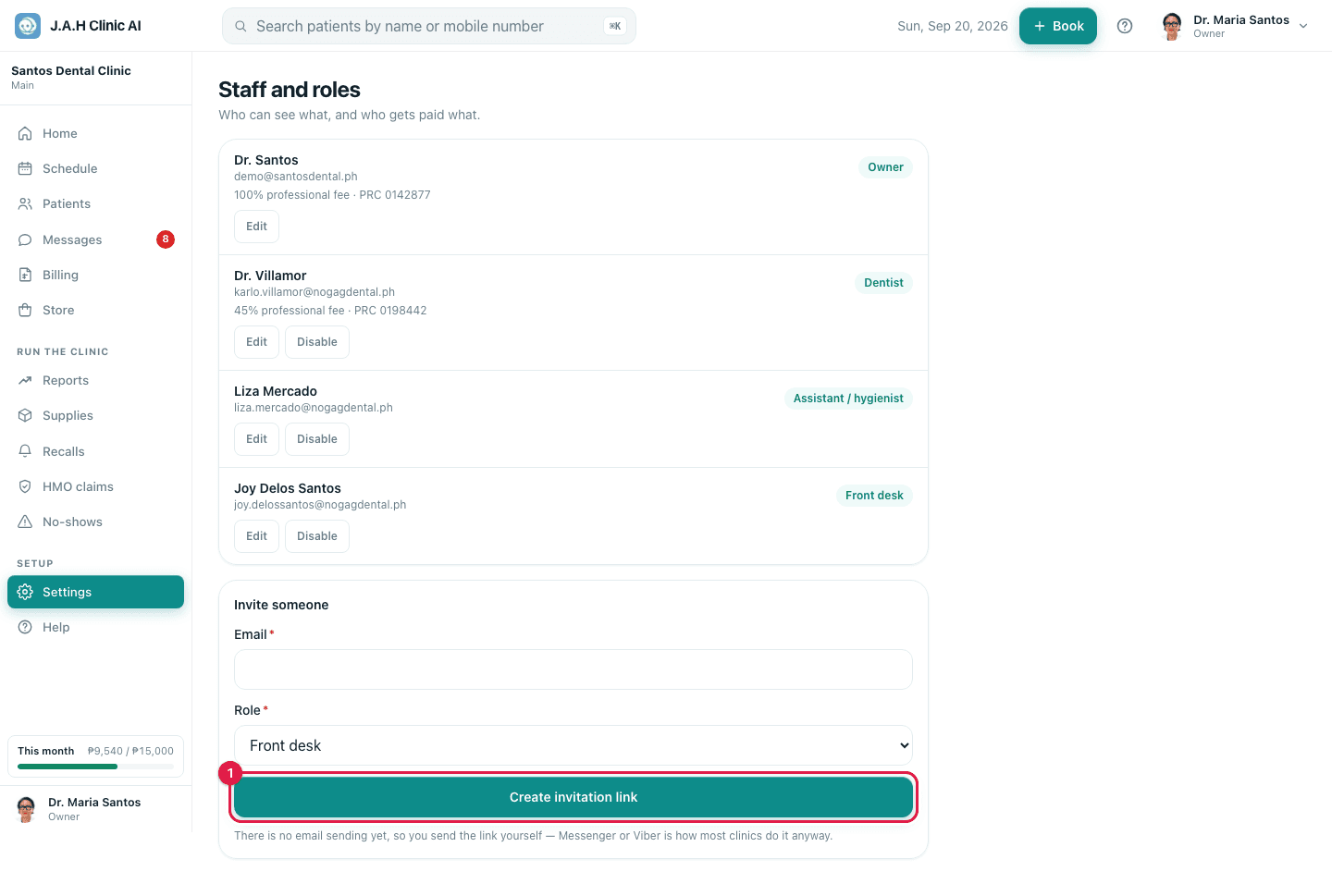
Settings → Staff and roles, then in Invite someone: email and role (Owner, Dentist, Assistant / hygienist, Front desk).
- 2
Tap Create invitation link, then Copy link. Send it yourself on Messenger or Viber; it works once and expires in 14 days.
- 3
When they have joined, tap Edit on their row to set the PRC number and the professional-fee share.
- 4
When someone leaves, tap Disable the same day. Their history stays; they can no longer sign in.
Ask the assistant
Answers from this guide, in plain English. Usually under a minute.It only knows what is in this guide and never sees patient records. Not answered? Search or message the J.A.H team.