
The booking form
Patient, date, time, dentist, chair, what it is for, how long, a note. Then Book appointment.
- Where
- Book
The Book button at the top of every screen opens this form. It takes under a minute once the patient exists.
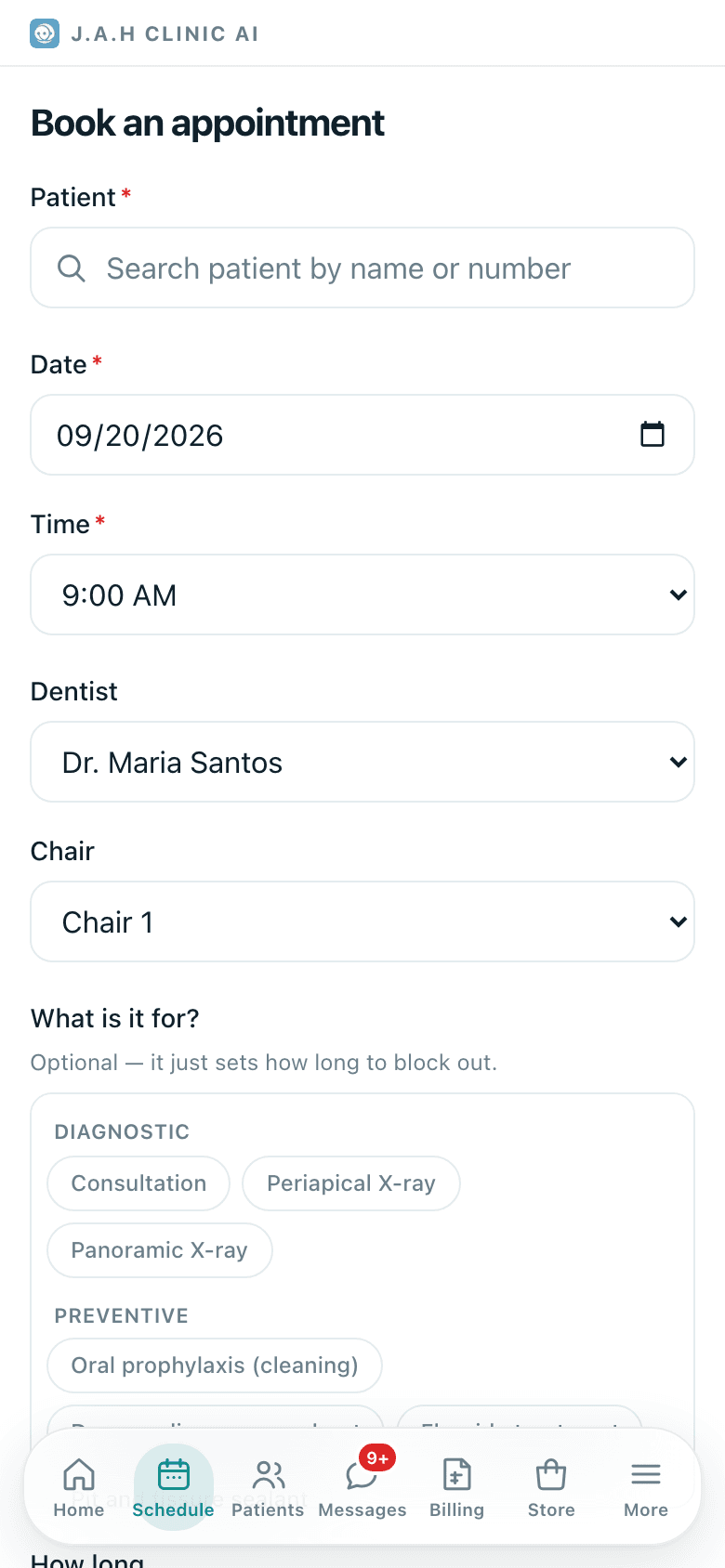
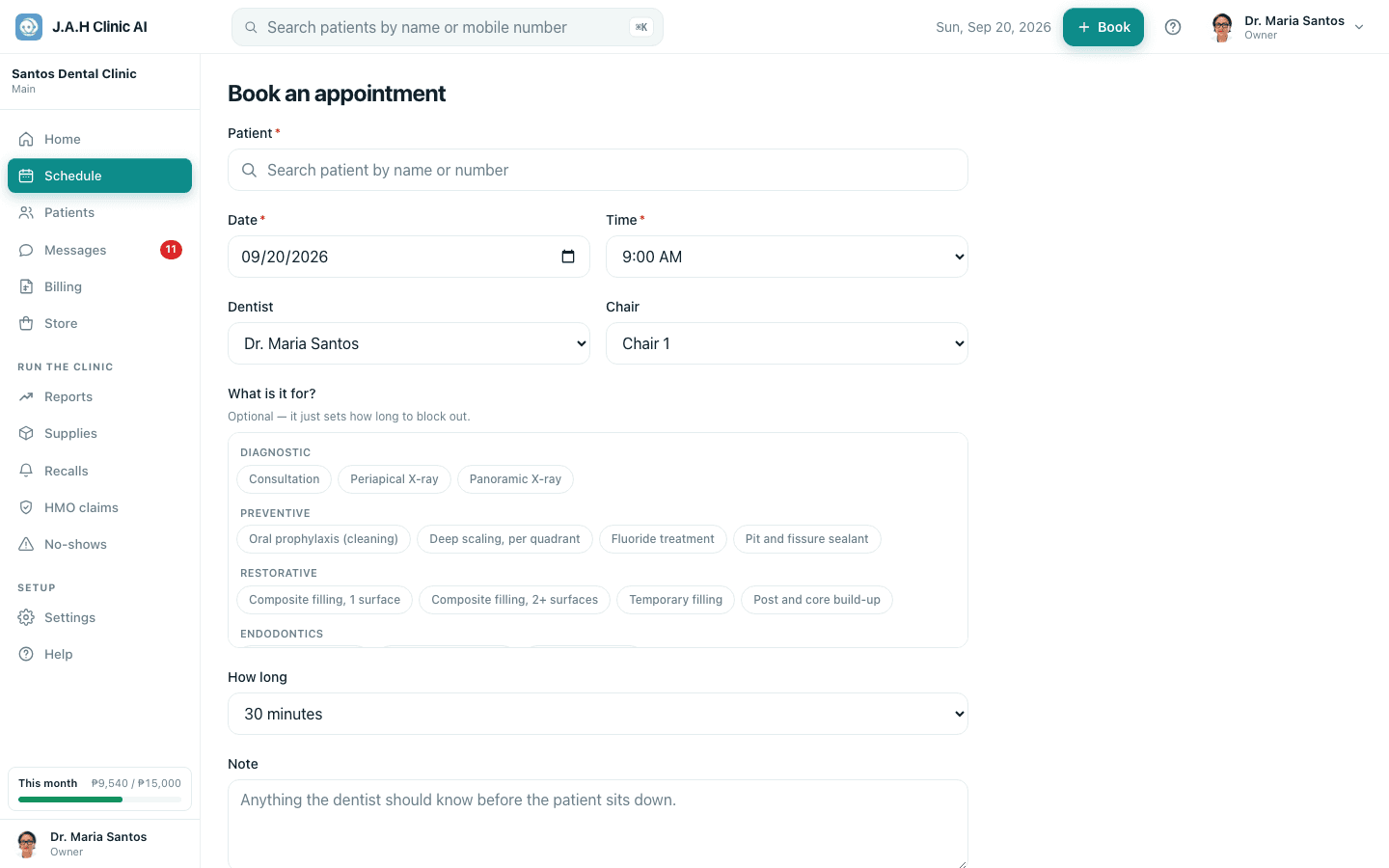
| Field | What to put | Notes |
|---|---|---|
| Patient (required) | Type part of the name or the mobile number and pick from the list | Not there? Register them first under Patients → New, then come back. Change swaps the chosen patient |
| Date (required) | The day | Pre-filled with the day you came from |
| Time (required) | Every 15 minutes, 7:00 AM to 9:00 PM | |
| Dentist | Who will see them, or Unassigned | |
| Chair | A specific chair, or Any | Leave as Any unless the dentist has a preference |
| What is it for? | Tap one or more procedure chips | Optional. It only sets how long to block |
| How long | 15 minutes up to 3 hours | Set itself from the procedures; change it if the dentist wants more |
| Note | Anything the dentist should know before the patient sits down | Shows on the schedule row in quotes |
Tap Book appointment. You are taken to Schedule on that day with the new row showing Pending. Cancel throws the form away.
Ask the assistant
Answers from this guide, in plain English. Usually under a minute.It only knows what is in this guide and never sees patient records. Not answered? Search or message the J.A.H team.