
Schedule
One day of appointments, and on every row the buttons for what happens next: Confirm, Arrived, Seat patient, Move, Cancel.
- Where
- Schedule
Schedule shows one day. On a phone it is a list; on a laptop it is a grid with one column per chair, and the same list under it. The title says Today, or the date you have moved to.
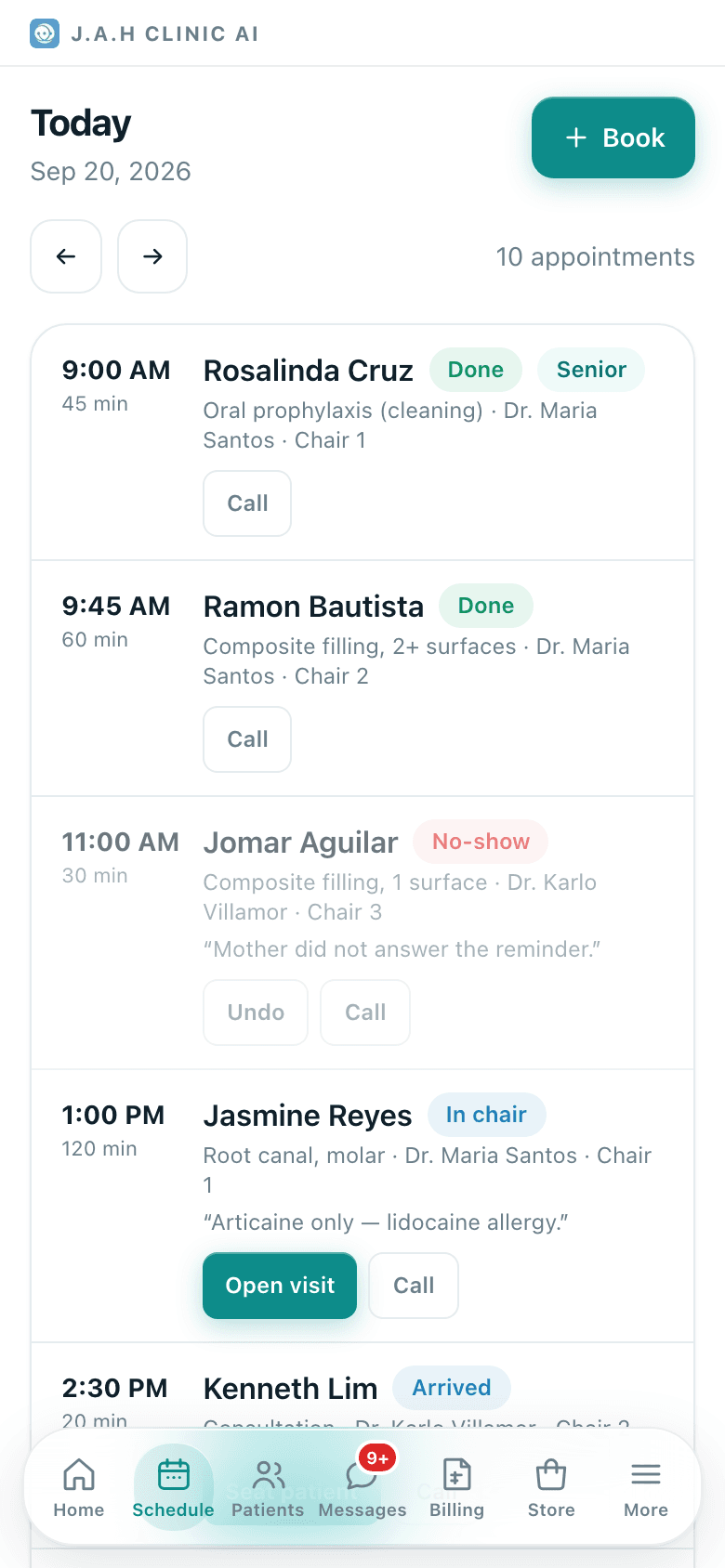
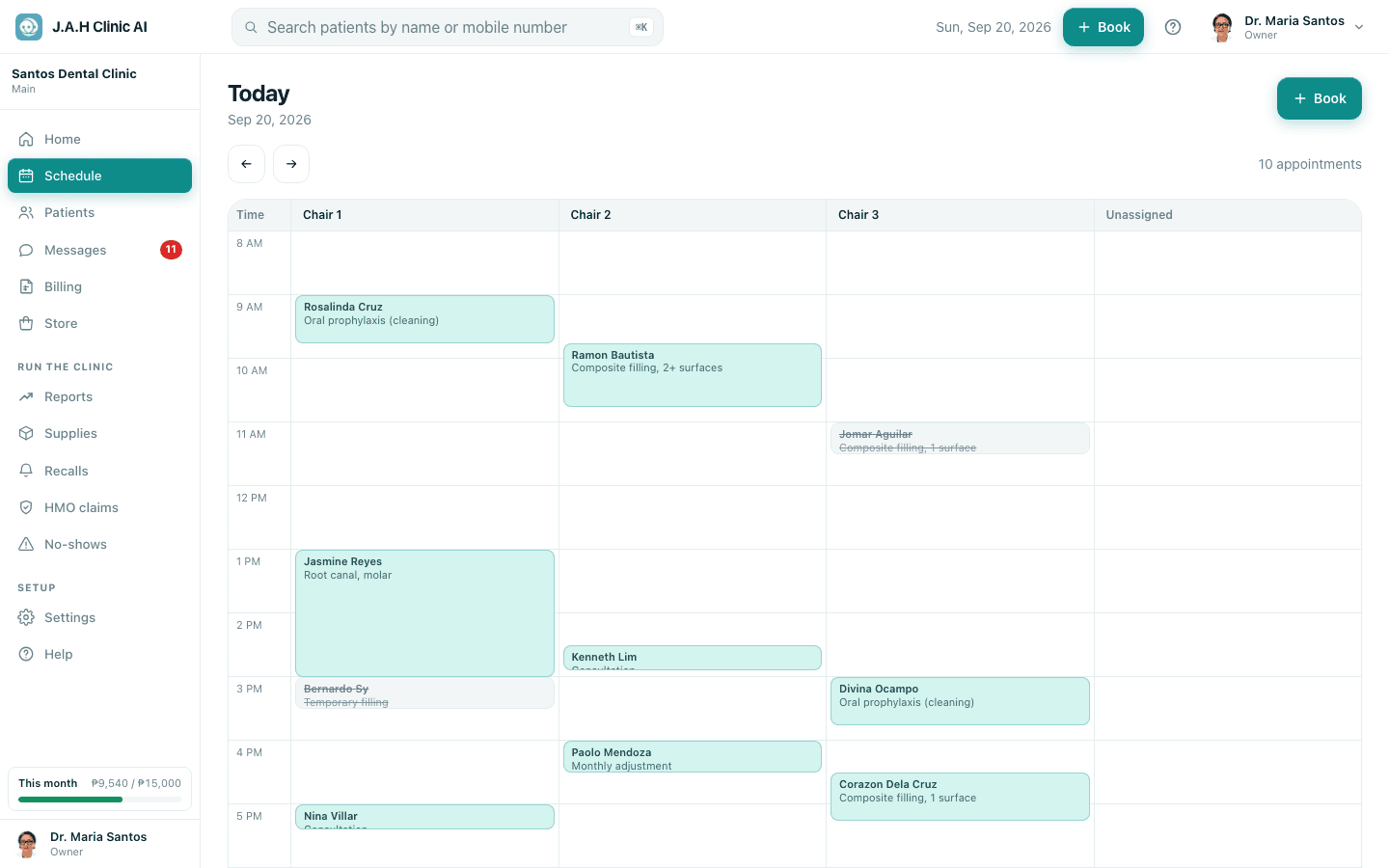
The top of the screen
| Button | What it does |
|---|---|
| Book | Opens the booking form for this day |
| ← and → | Previous and next day |
| Today | Jumps back to today (only shows when you are on another day) |
The buttons on a row, by status
| Row says | Buttons you see | Which does what |
|---|---|---|
| Pending | Confirm · Arrived · No-show · Cancel · Move · Call | Confirm once the patient has said yes |
| Confirmed | Arrived · No-show · Cancel · Move · Call | Arrived when they walk in |
| Arrived | Seat patient · Call | Seat patient opens the visit screen for the dentist |
| In chair | Open visit · Call | Open visit returns to the visit already running |
| Done | Call | The visit was finished |
| No-show | Undo · Call | Undo if they turned up after all |
| Cancelled | Restore · Call | Restore if they changed their mind |
Call dials the patient's mobile; it only appears when there is a number on file. Tapping the patient's name opens their record.
Moving an appointment
- 1
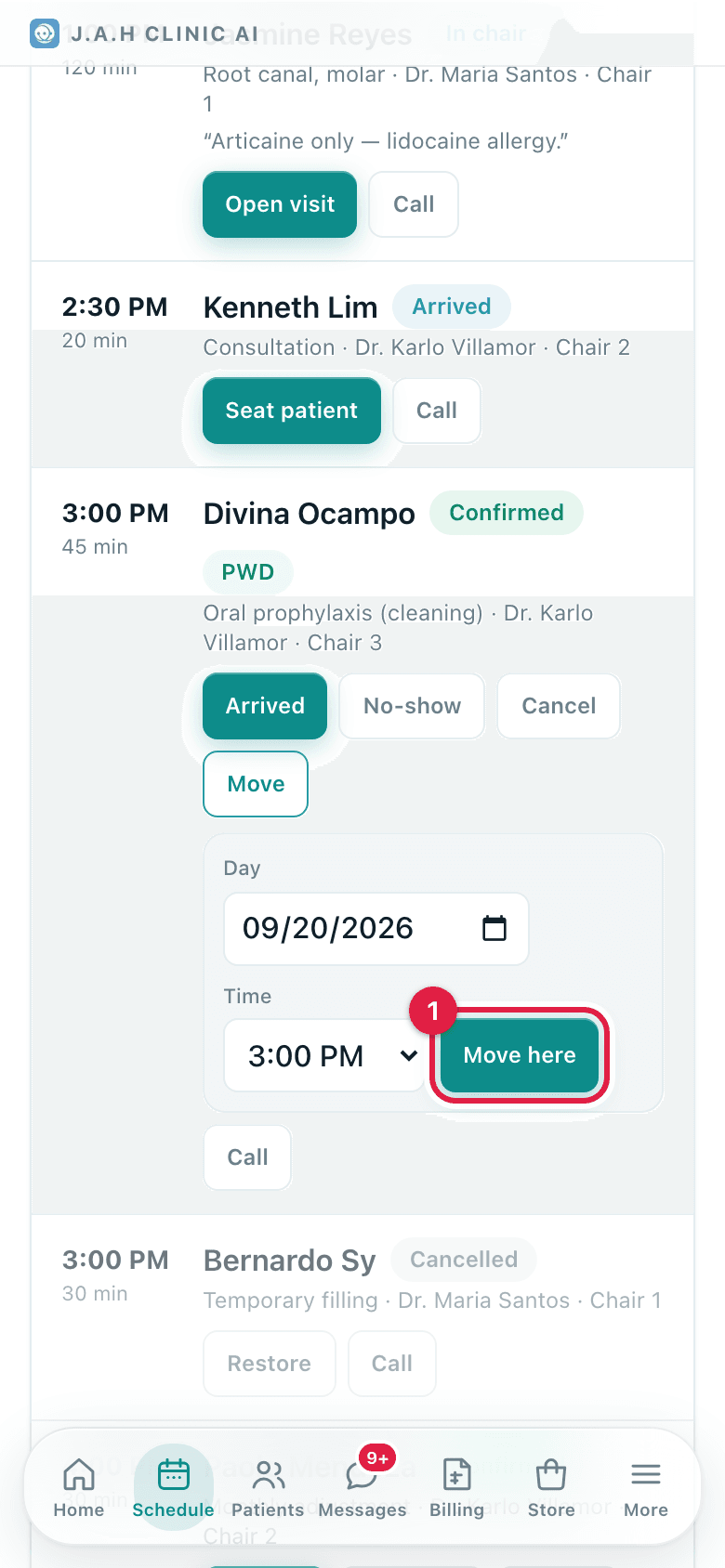
On a Pending or Confirmed row tap Move. A small panel opens on the row.
- 2
Pick the Day and the Time (every quarter hour from 7:00 AM to 7:45 PM).
- 3
Tap Move here. The screen jumps to the new day and says Moved. Dentist, chair and length stay the same.
Ask the assistant
Answers from this guide, in plain English. Usually under a minute.It only knows what is in this guide and never sees patient records. Not answered? Search or message the J.A.H team.