
Profile
Your photo, name, letters after your name, mobile, PRC licence, colour, appearance, start screen, password and Face ID.
- Where
- Moreyour name

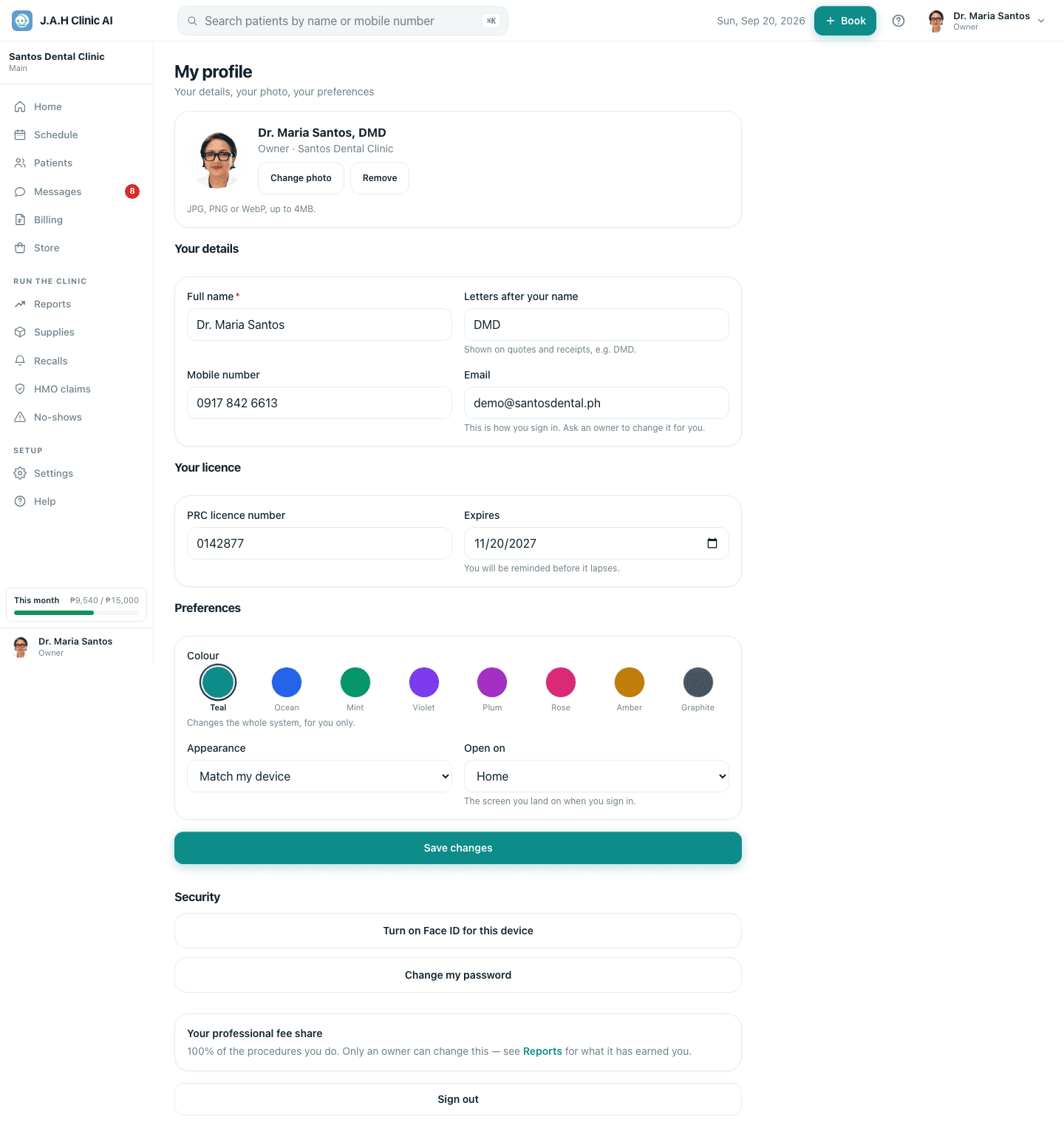
| Part | What it does |
|---|---|
| Add photo / Change photo / Remove | Your picture, up to 4MB |
| Your details | Full name, letters after your name (DMD, printed on quotes and receipts), mobile; email is fixed and changed by an owner |
| Your licence | PRC number and expiry, owners and dentists only; you are reminded before it lapses |
| Colour | Teal · Ocean · Mint · Violet · Plum · Rose · Amber · Graphite. Changes the whole app, for you only |
| Appearance | Match my device · Light · Dark |
| Open on | Which screen you land on: Home, Schedule, Patients, Messages, Billing or Store |
| Save changes | Saves all of the above |
| Turn on Face ID for this device | Enrols this phone or laptop; the label shows how many devices are on |
| Change my password / Set a password (optional) | Current password, new password of at least 8 characters, then Change password |
| Sign out | Ends this device's session |
Ask the assistant
Answers from this guide, in plain English. Usually under a minute.It only knows what is in this guide and never sees patient records. Not answered? Search or message the J.A.H team.