
A bill
Take a payment, issue the receipt, bill an HMO, download the PDFs, or void it.
- Where
- Billinga bill
Every bill has its own page: the lines, the totals with the discount already applied, the payments and receipts so far, and the forms to take more money or file an HMO claim.
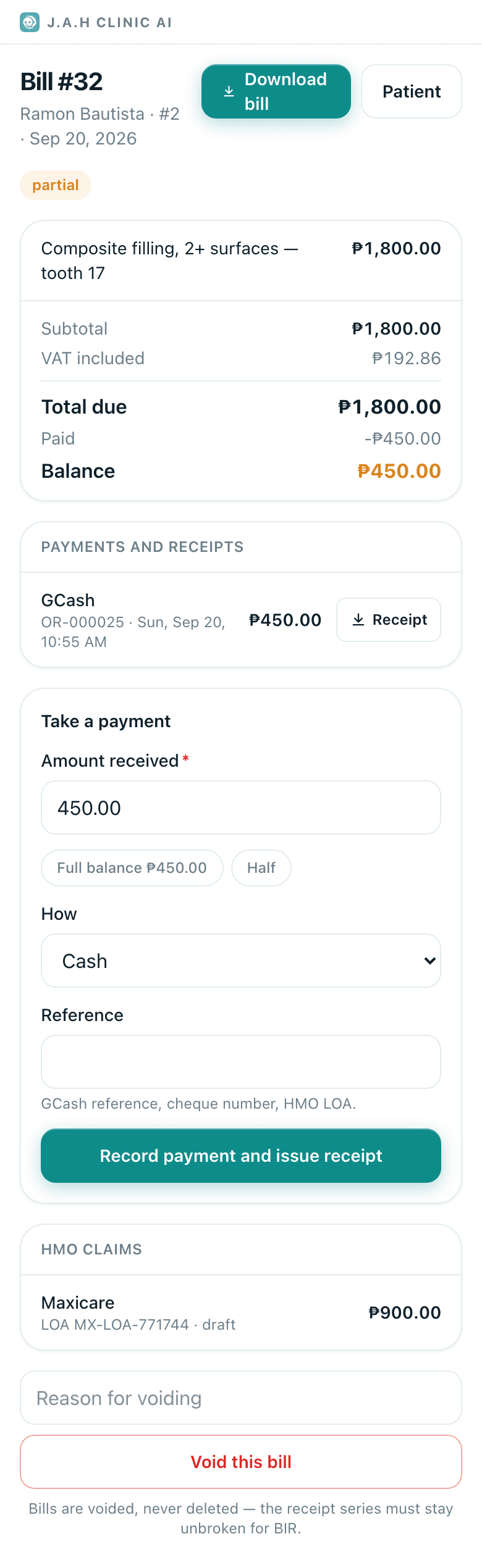
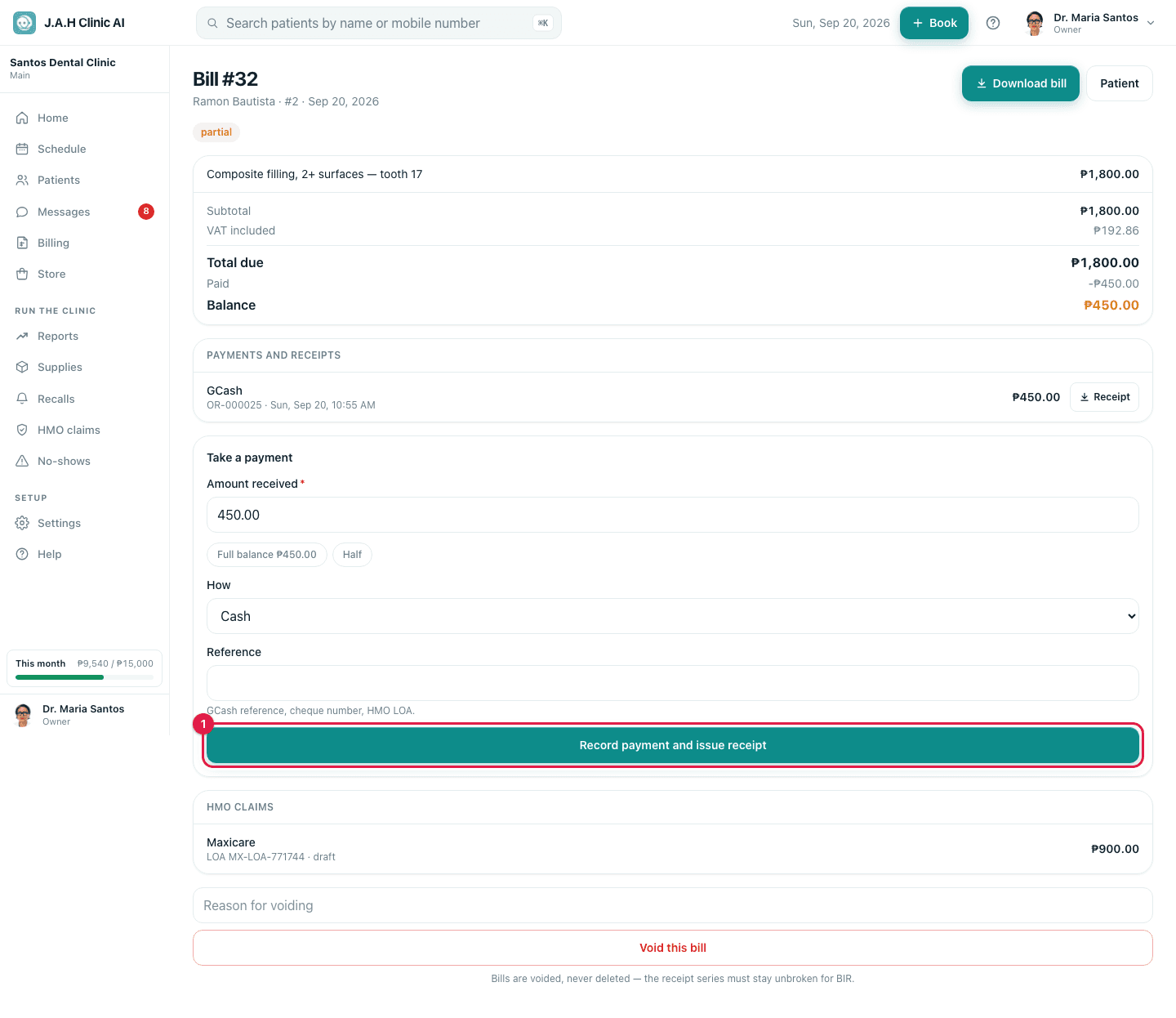
Top of the page
| Control | What it does |
|---|---|
| Download bill | The itemised bill as a PDF |
| Patient | Opens the record |
| Badges | paid · partial · open · void, VAT-exempt, and the Senior or PWD ID number |
| Totals | Subtotal, Less VAT (exempt sale), the discount, Total due, Paid, Balance |
| Payments and receipts | Each payment with its method, reference and receipt number; Receipt downloads that receipt as a PDF |
Take a payment
- 1
Amount received is pre-filled with the balance. Tap Full balance or Half, or type an amount.
- 2
How: Cash, GCash, Card, Bank transfer, Cheque or HMO.
- 3
Reference: the GCash reference, cheque number or HMO LOA. Leave blank for cash.
- 4
Tap Record payment and issue receipt. The receipt is numbered in sequence and appears in the list above with its Receipt button.
Bill an HMO for this
- 1
Choose the HMO (only ones the clinic is accredited with appear; the patient's cards on file are listed above the form).
- 2
Amount claimed is pre-filled with the bill total; change it to what the HMO covers. Type the LOA number.
- 3
Tap File HMO claim. The patient's balance drops by the covered share and the claim appears on HMO claims.
Voiding
Type the reason in Reason for voiding and tap Void this bill. The bill and its receipts are marked void and the series stays unbroken. Then create a fresh bill from the visit.
Ask the assistant
Answers from this guide, in plain English. Usually under a minute.It only knows what is in this guide and never sees patient records. Not answered? Search or message the J.A.H team.