
Store and cart
The supply catalogue, the monthly meter, the cart and how to pay. Never switched off.
- Where
- Store
The Store is how the clinic keeps the software free. Its meter at the top says where this month stands; everything below is the catalogue.
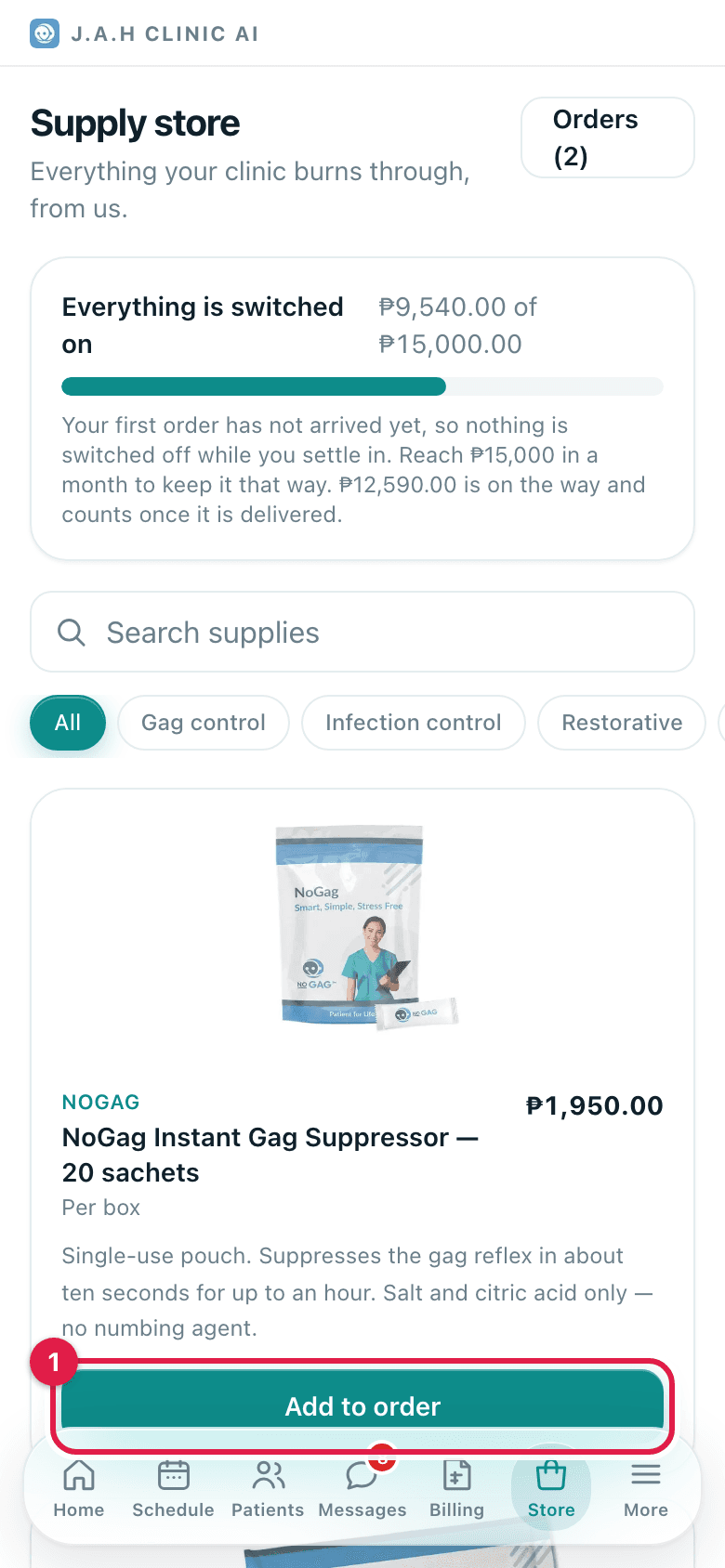
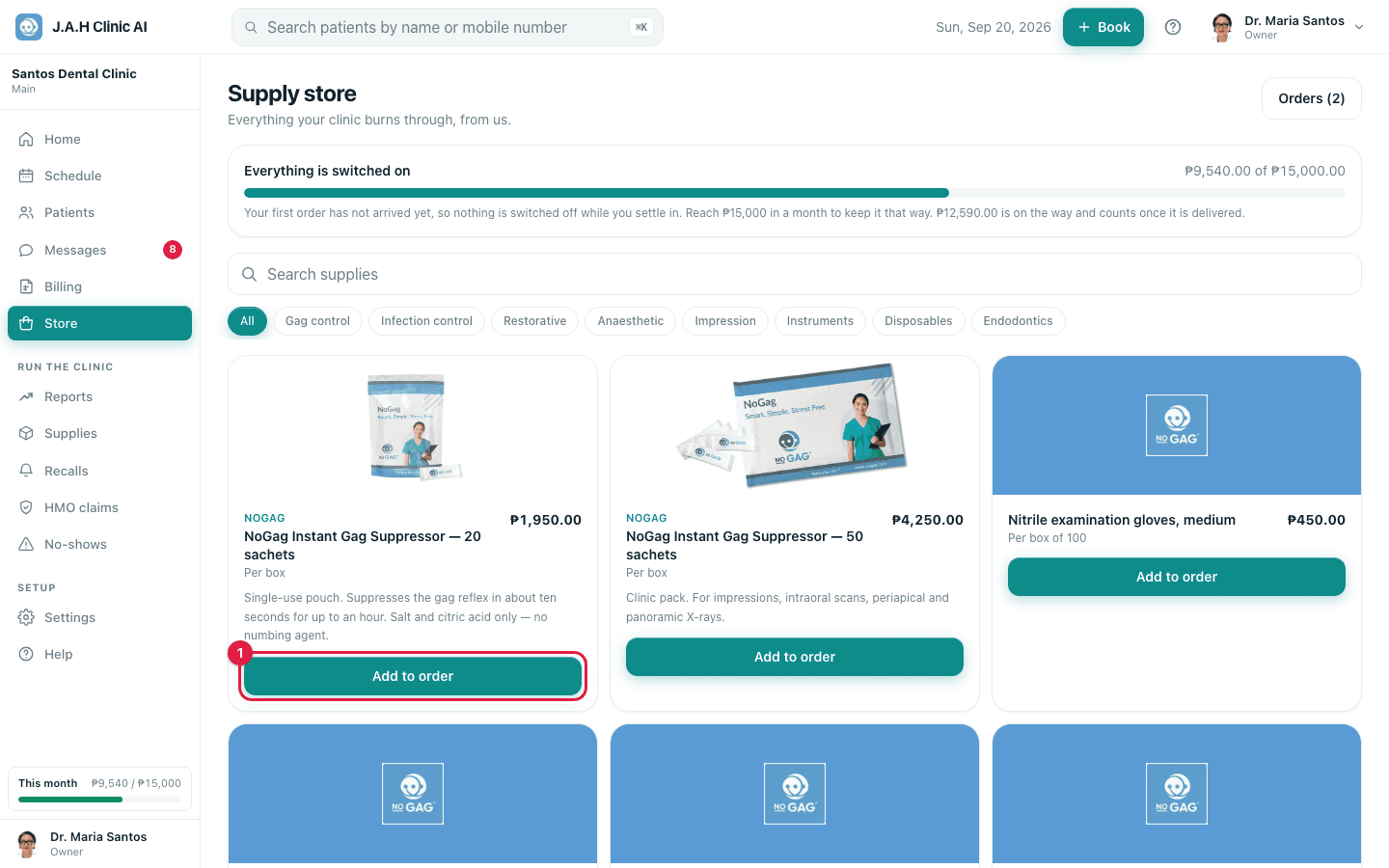
| Control | What it does |
|---|---|
| Meter card | This month is covered · Covered by last month · Everything is switched on · This month, with the peso figures and a bar that turns green when met |
| Orders | Your orders, with a count of the ones still on the way |
| Search and category pills | Find a product; All shows everything |
| Add to order | Puts one in the cart; then − and + change the quantity |
| Does not count toward your monthly minimum | A product that is sold but not part of the deal |
| Review order (bottom bar) | Opens the cart |
The cart (Your order)
- 1
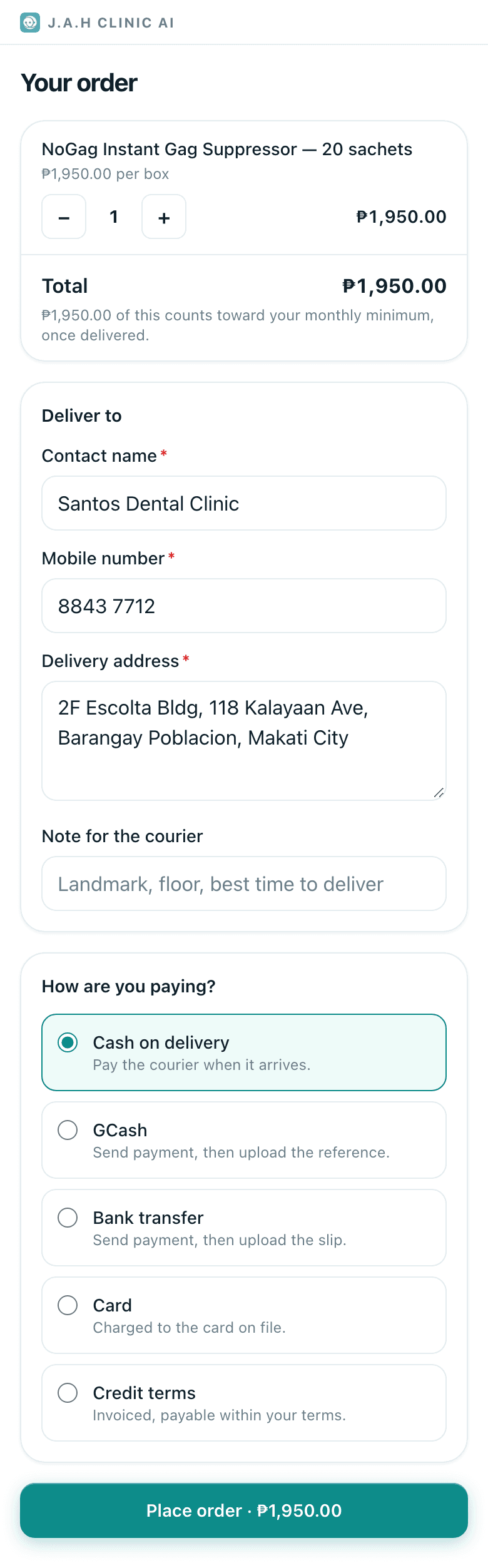
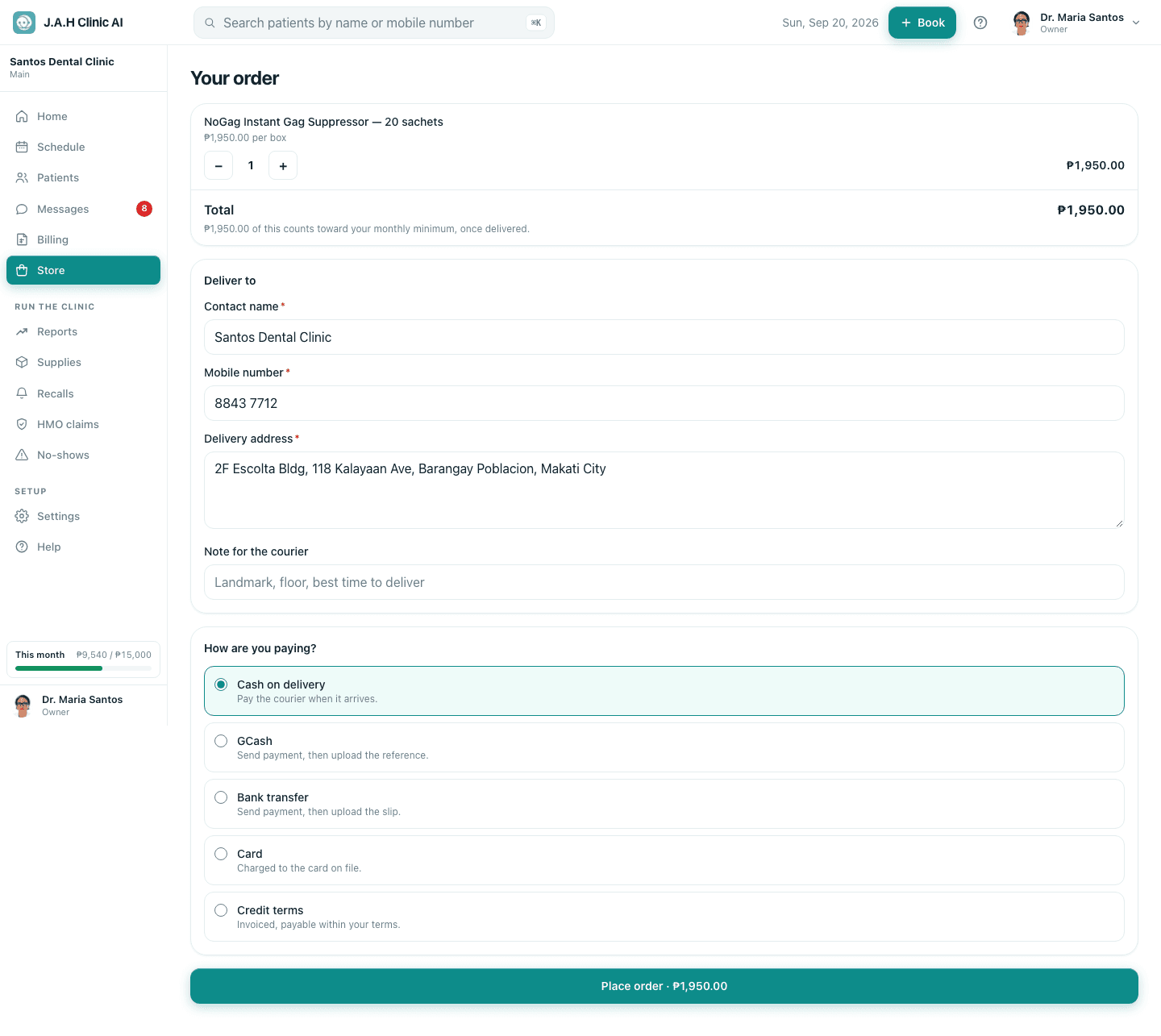
Check the lines and quantities with − and +. The total says how much counts toward the minimum once delivered.
- 2
Deliver to: contact name, mobile, address and a note for the courier. Pre-filled from your last order.
- 3
How are you paying? Cash on delivery · GCash · Bank transfer · Card · Credit terms. GCash and bank need a proof upload after paying.
- 4
Tap Place order · ₱…. The order page opens with its progress strip.
Ask the assistant
Answers from this guide, in plain English. Usually under a minute.It only knows what is in this guide and never sees patient records. Not answered? Search or message the J.A.H team.