
Home
The day at a glance: today's money, four numbers, the schedule, and what needs attention.
- Where
- Home
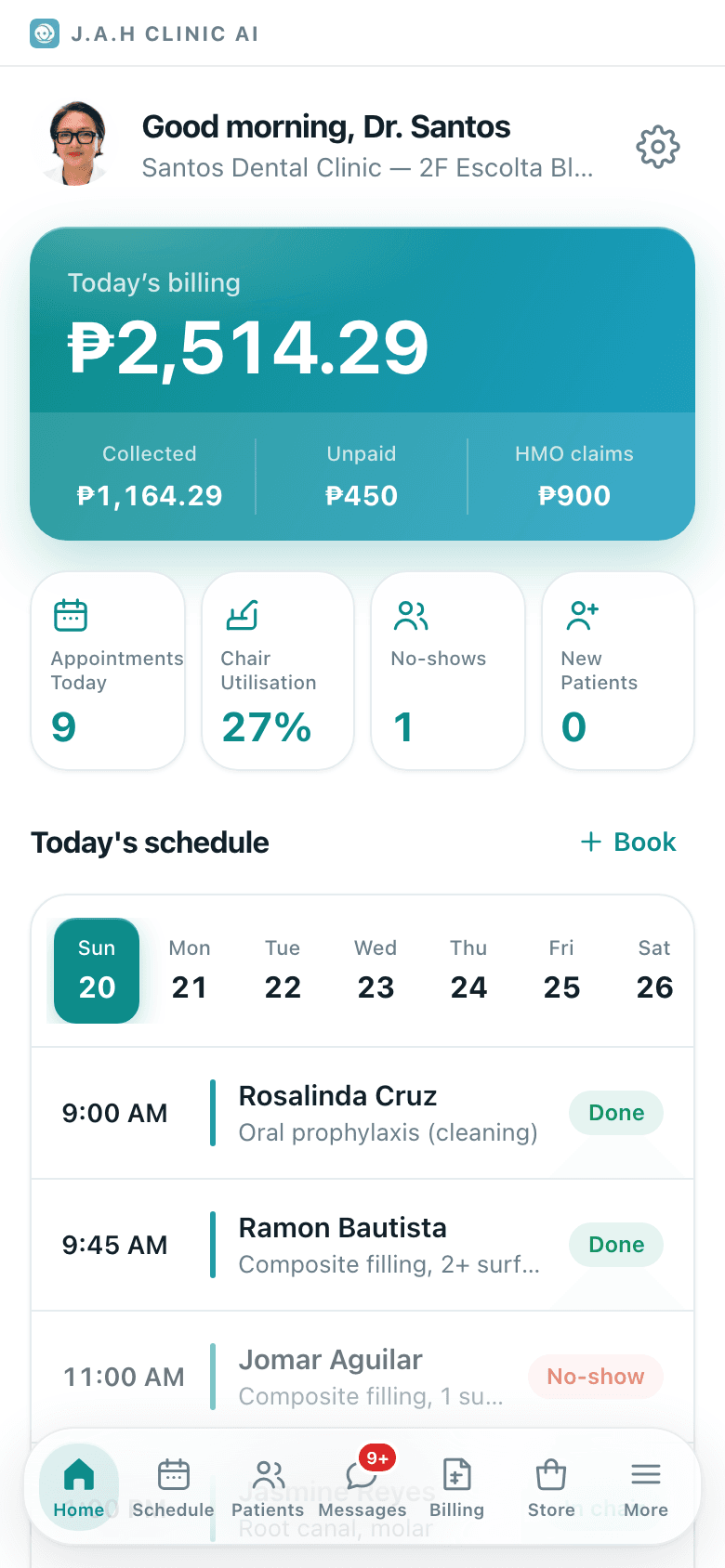
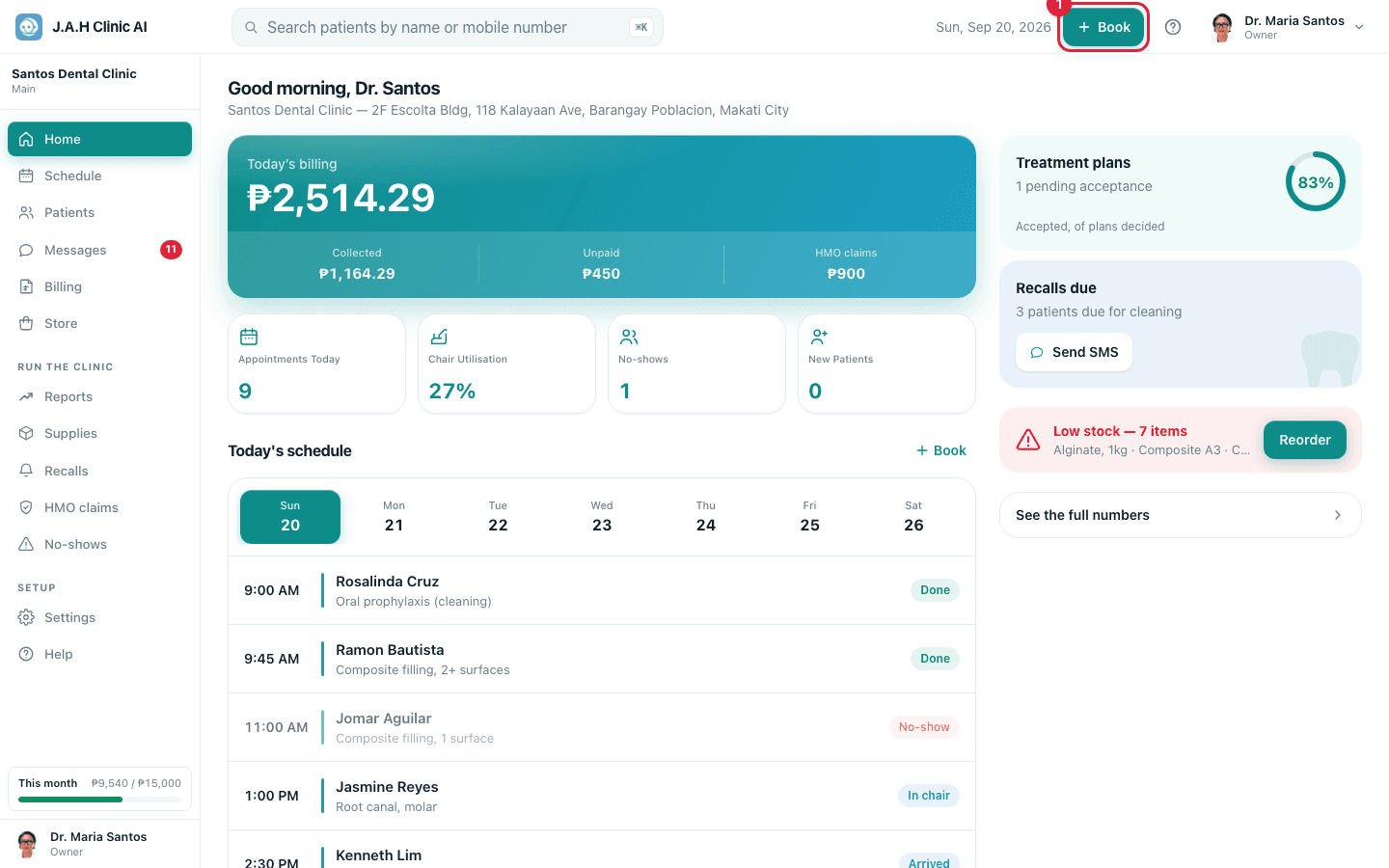
Home is the first tab and the screen you land on. It says good morning, tells you who is coming, how the day's money looks, and shows a red banner if the shelf is running low. Nothing here is edited; everything is a doorway to the screen where the work happens.
What is on it
| Part | What it shows | Tap it to |
|---|---|---|
| Greeting | Good morning / afternoon / evening, your name, the clinic and branch | On a phone, the little avatar opens Profile and the gear opens More |
| Welcome card | Three steps for a brand-new clinic; each ticks itself off | Add a patient, book, or order the first pack |
| Today's billing | Today's billed total, up or down versus yesterday, then Collected · Unpaid · HMO claims | Open Billing |
| Appointments Today | Count of live bookings today | Open Schedule |
| Chair Utilisation | How full the chairs are today, as a percentage | nothing, it is a figure |
| No-shows | Missed appointments today | Open No-shows |
| New Patients | Patients added today | Open Patients |
| Today's schedule | Six rows on a phone, twelve on a laptop, each with time, name, procedure and status | A row opens the patient; Book opens the booking form; See all opens the full day |
| Week strip | Seven day chips starting today | Show that day's schedule on Home |
| Treatment plans | How many plans are waiting on a patient's answer, and the acceptance ring | nothing here; plans live on the patient record |
| Recalls due | How many patients are due back in 30 days | See who (or Send SMS once texting is on) opens Recalls |
| Low stock | Red banner naming what is running low | Reorder fills the Store cart, then Review order opens it |
| See the full numbers | Owner only | Open Reports |
Ask the assistant
Answers from this guide, in plain English. Usually under a minute.It only knows what is in this guide and never sees patient records. Not answered? Search or message the J.A.H team.