
Messages
One inbox for SMS, Messenger, Viber and Telegram. Read, reply, archive.
- Where
- Messages
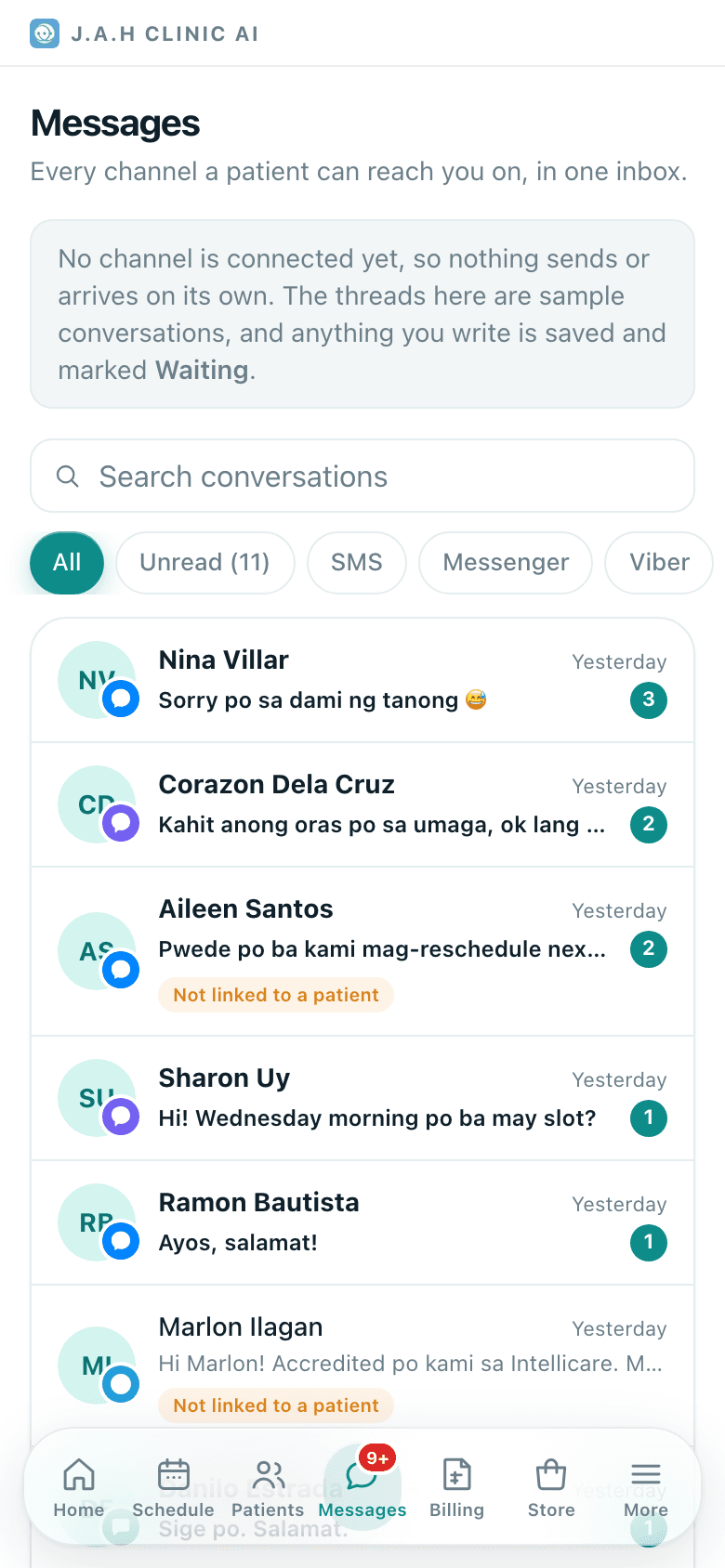
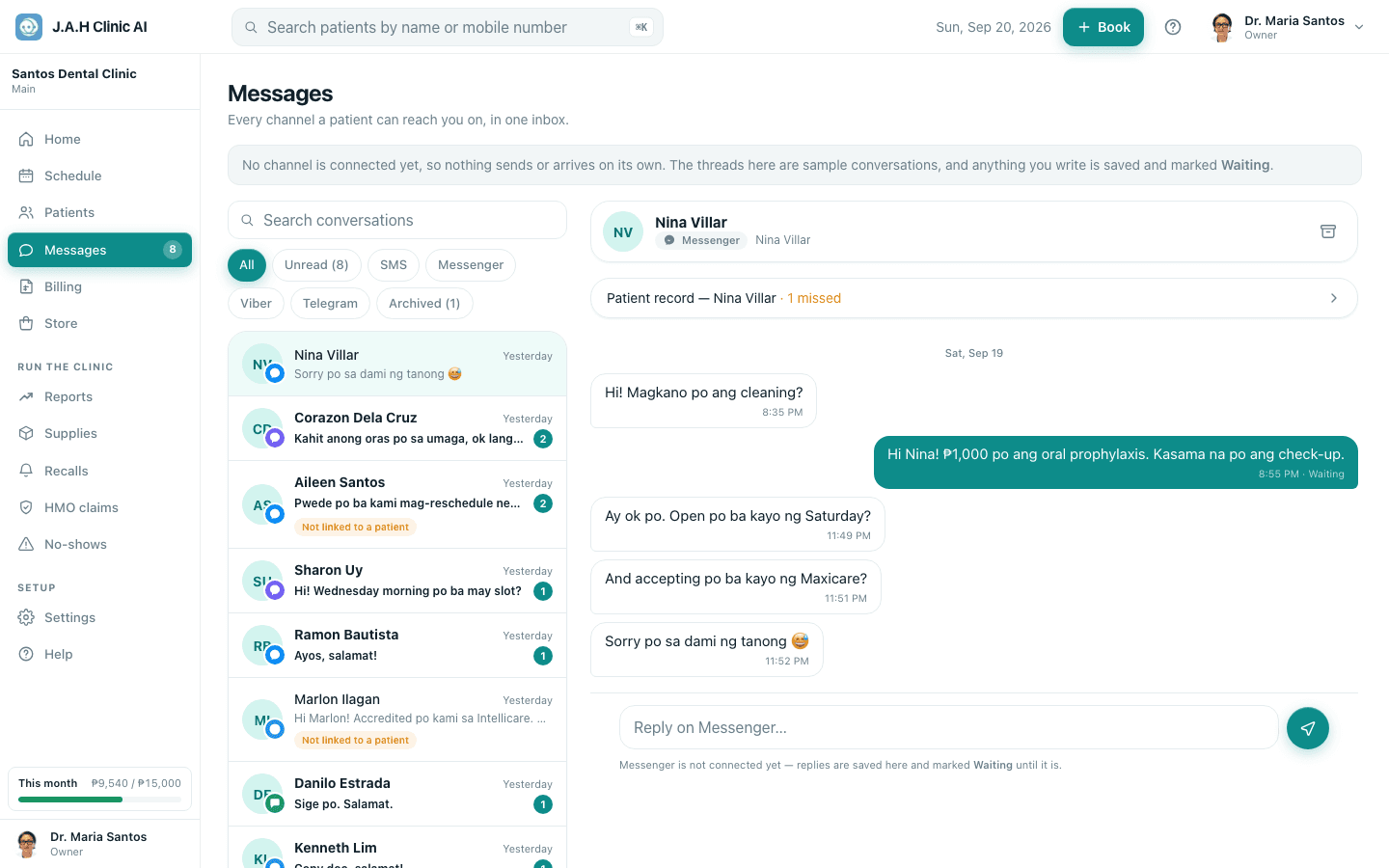
Every channel a patient can reach the clinic on lands in one list. The red number on the Messages tab is how many are unread. On a laptop the list sits beside the open conversation; on a phone you see one or the other.
| Control | What it does |
|---|---|
| Search box | Filters the list by name, handle or last message |
| Pills: All · Unread · SMS · Messenger · Viber · Telegram · Archived | Show one channel, only unread, or the archive |
| A conversation | Opens the thread and clears its unread count |
| Channel chips | Greyed out means that channel is not connected yet |
Inside a conversation
| Control | What it does |
|---|---|
| Back to messages (phone) | Returns to the list |
| Patient record link | Opens the patient, with a note if they have missed appointments |
| Archive / Move back to inbox | Hides a finished conversation, or brings it back |
| Reply box | Type and press Enter to send; Shift+Enter for a new line; Send does the same |
Ask the assistant
Answers from this guide, in plain English. Usually under a minute.It only knows what is in this guide and never sees patient records. Not answered? Search or message the J.A.H team.