
The patient record
Contact, medical history, HMO cards, visits, and the doors to the chart, plans and booking.
- Where
- Patientsa patient
One screen per patient. Allergies sit at the top in red so nobody can miss them. Three buttons under the name go to the places a dentist needs: Plans, Chart, Book.
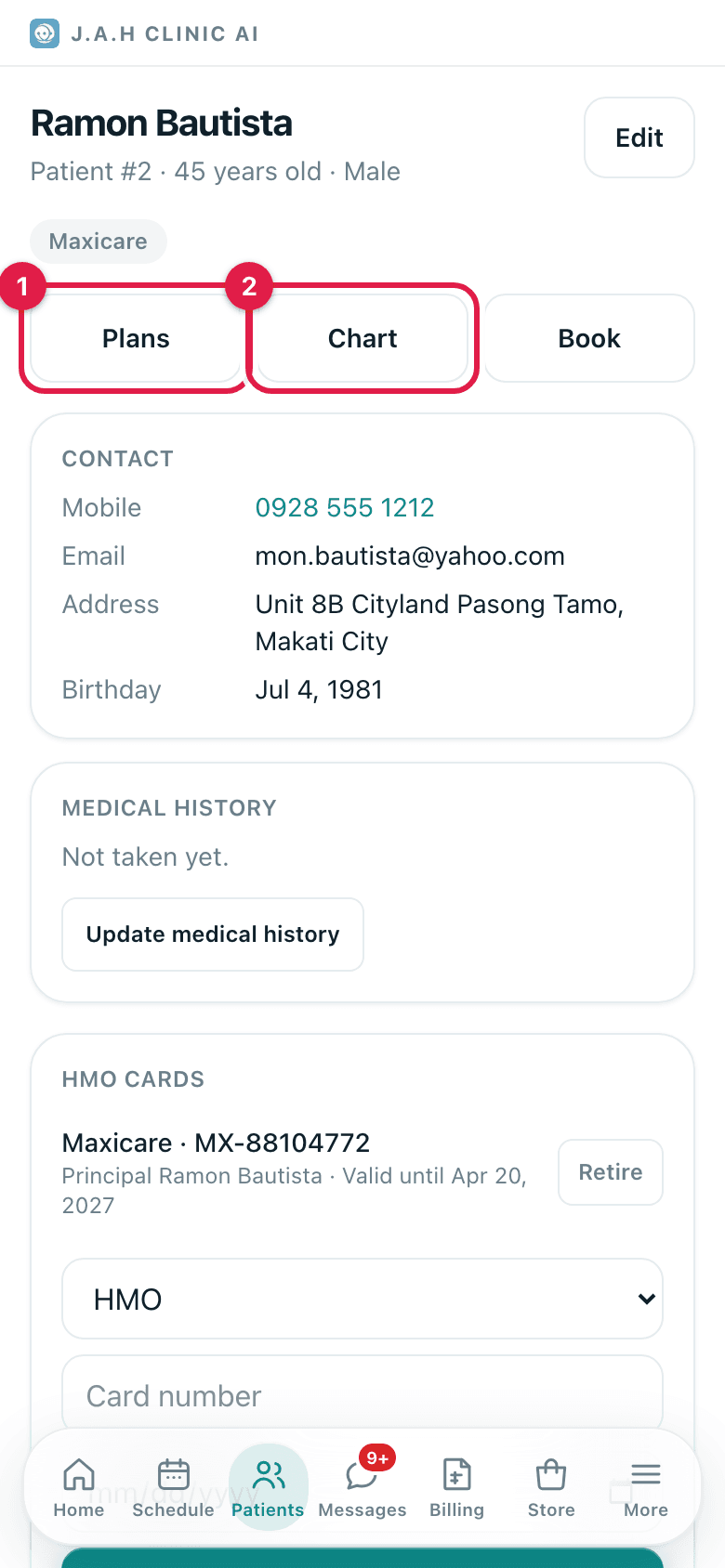
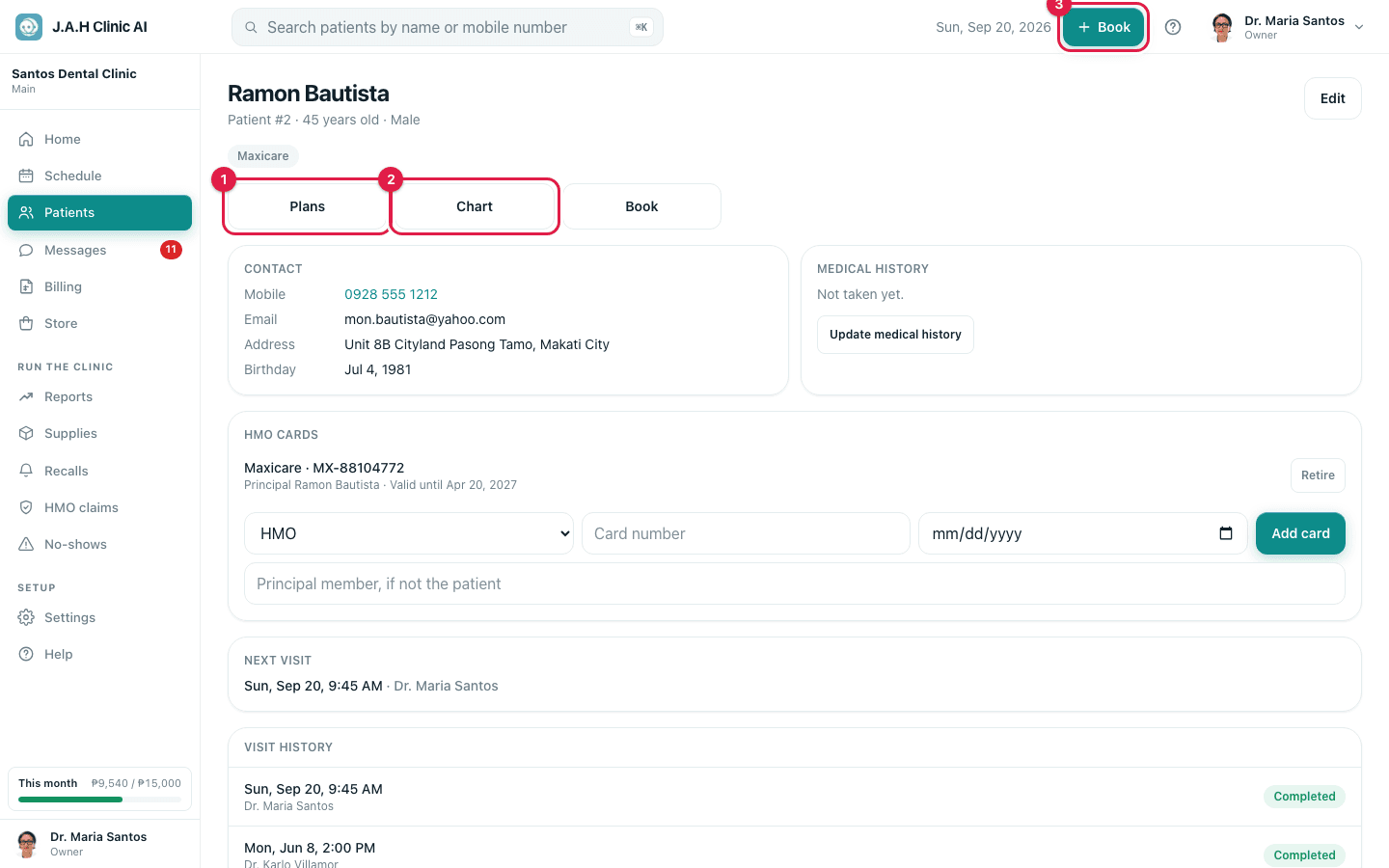
Buttons and cards, top to bottom
| Control | What it does |
|---|---|
| Edit | Opens the same form as New patient with everything filled in |
| Red Allergies bar | Lists every allergy on file; it repeats on the chart and the visit |
| Badges | Senior citizen, PWD, each HMO on file, and how many no-shows |
| Plans · Chart · Book | Treatment plans · Tooth chart · Booking form with this patient chosen |
| Contact card | Mobile (tap to call), email, address, birthday, referred by |
| Medical history card | Conditions, allergies, medications, blood type, pregnant. Take medical history the first time, Update medical history after |
| HMO cards card | Each card with Retire; the add row is HMO · Card number · valid-until date · Add card |
| Next visit | The next upcoming appointment |
| Visit history | The last eight appointments with their status |
| Start a visit now | A walk-in: opens the visit screen without a booking |
| Book an appointment | The booking form |
Taking the medical history
- 1
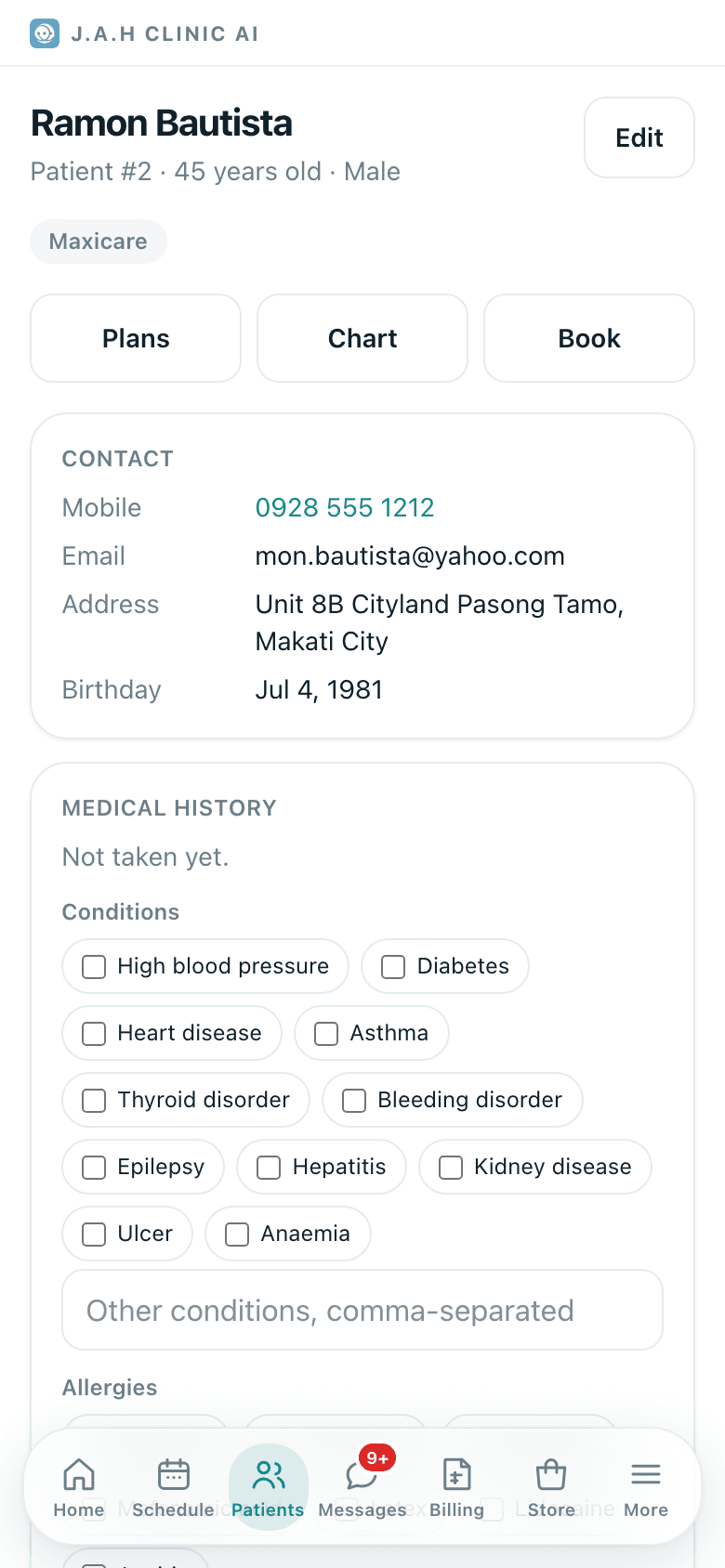
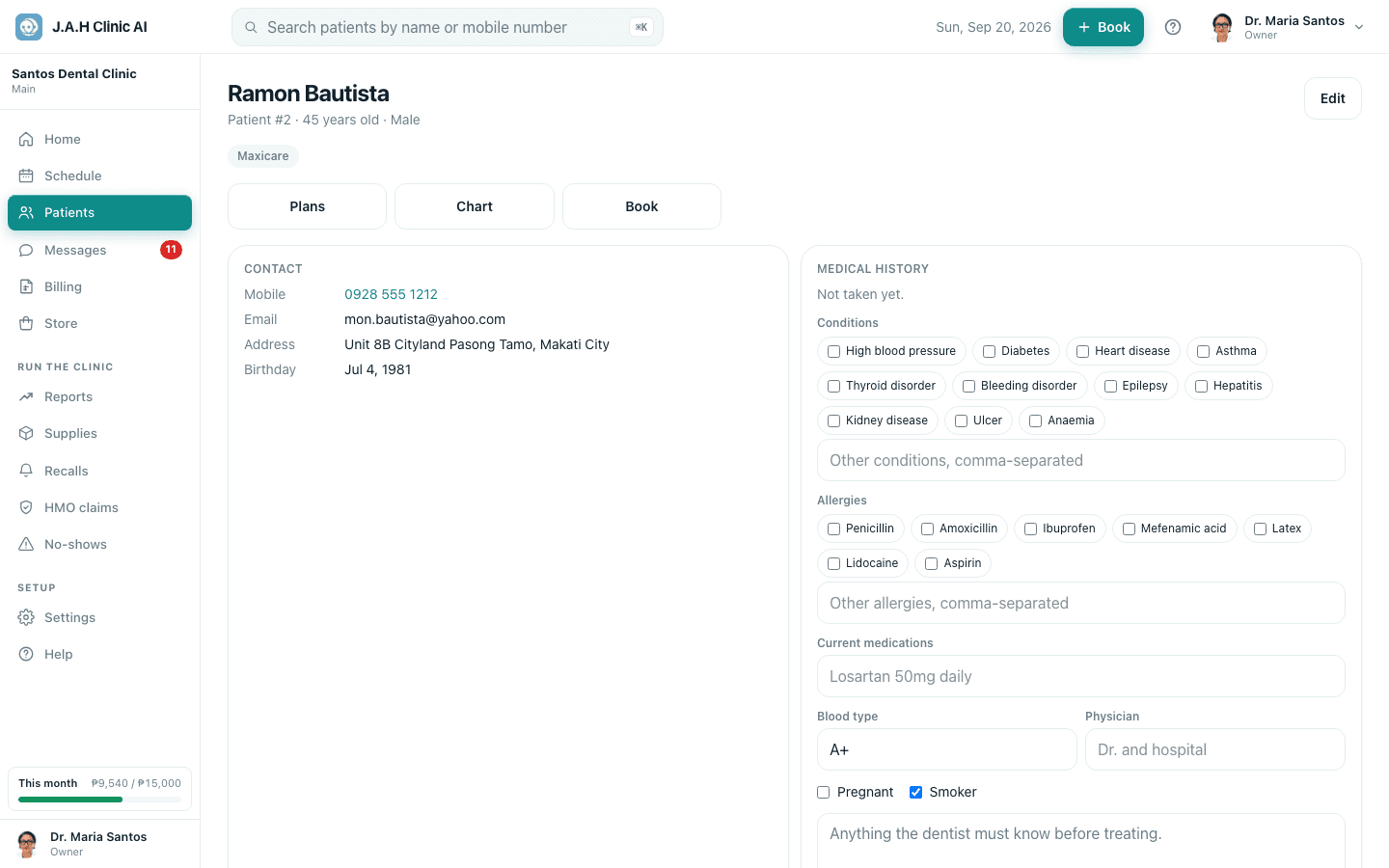
Tap Take medical history. A form unfolds on the record.
- 2
Tick the Conditions that apply (high blood pressure, diabetes, heart disease, asthma and so on) and type any others.
- 3
Tick the Allergies (penicillin, amoxicillin, ibuprofen, mefenamic acid, latex, lidocaine, aspirin) and type any others. These turn red.
- 4
Fill Current medications, Blood type, Physician, and tick Pregnant or Smoker if so. Add anything the dentist must know.
- 5
Tap Save history. The red allergy bar appears immediately.
Ask the assistant
Answers from this guide, in plain English. Usually under a minute.It only knows what is in this guide and never sees patient records. Not answered? Search or message the J.A.H team.