
Treat the patient
Read the red line, record each procedure as it is done, chart findings, save notes, hand over for billing.
- Who
- Dentist, Assistant
- When
- Every visit, while the patient is in the chair
- Where
- ScheduleSeat patient
- 1
Read the red Allergies line at the top of the visit before you start.
- 2
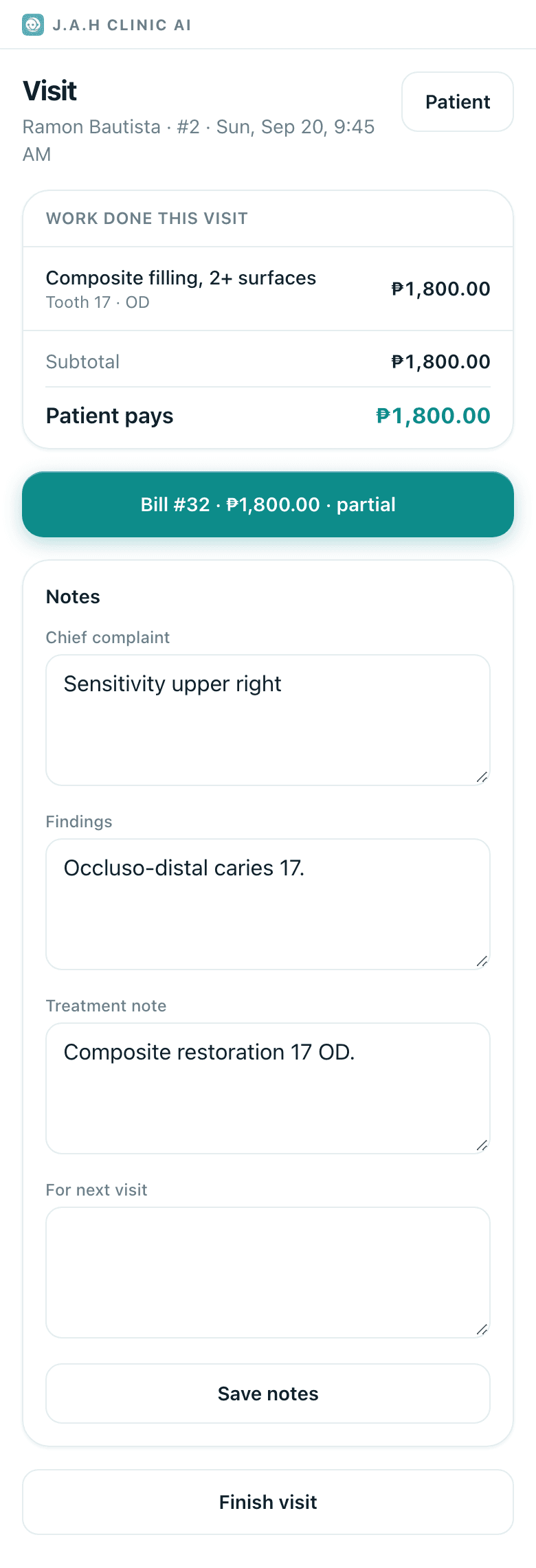
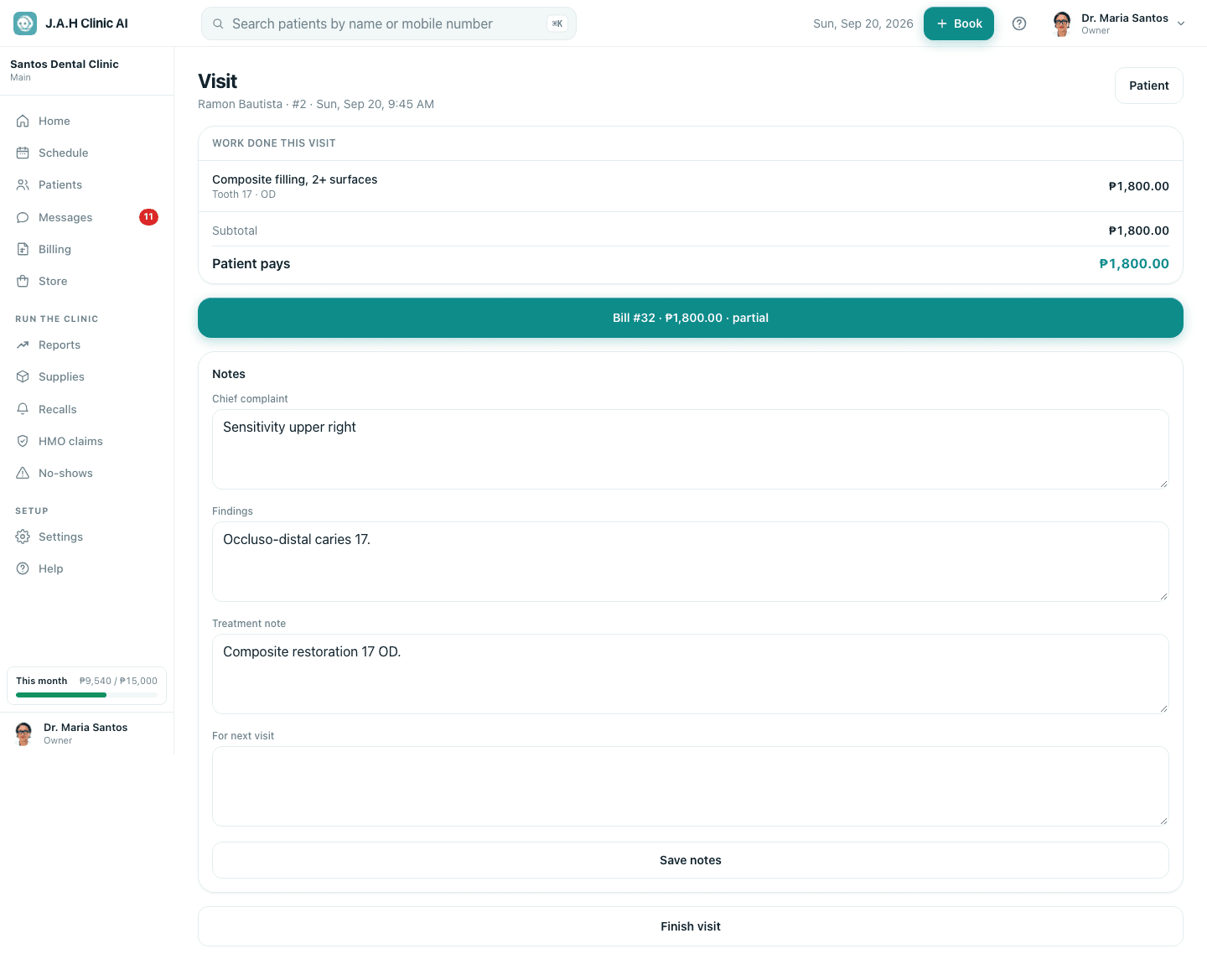
Record each procedure as it is done: under Record what was done choose the procedure, type the Tooth and Surfaces, change Price charged only if something different was agreed, tap Record work. Items from an accepted plan sit above as chips: tap one and the form fills itself.
- 3
Chart anything you found: Patient → Chart. See Chart findings and plan treatment.
- 4
Under Notes fill the chief complaint, findings, the treatment note (anaesthetic, materials, anything unusual) and for next visit. Tap Save notes.
- 5
Hand over to the front desk for billing. Do not tap Finish without billing unless nothing chargeable was done.
Ask the assistant
Answers from this guide, in plain English. Usually under a minute.It only knows what is in this guide and never sees patient records. Not answered? Search or message the J.A.H team.