
Move or cancel an appointment
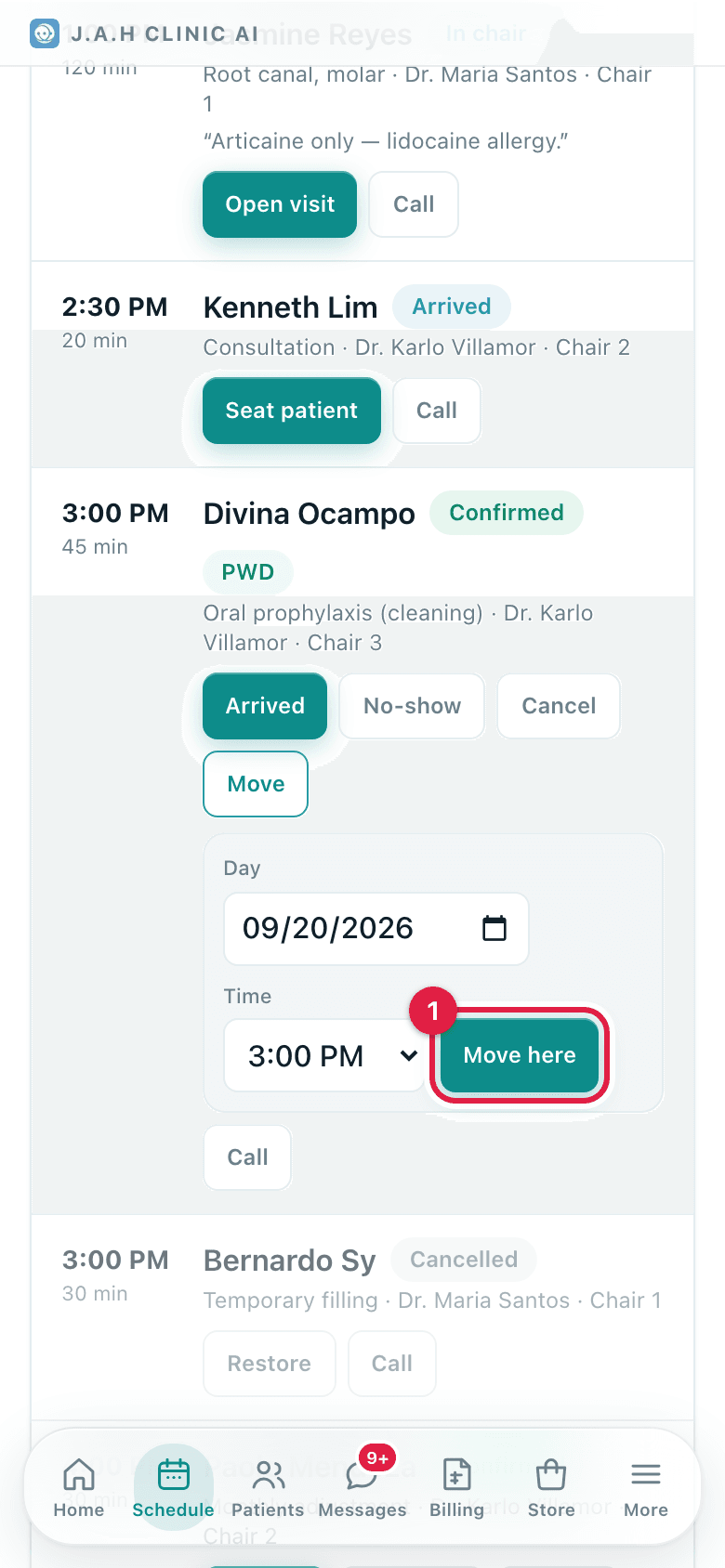
Move opens a small panel on the row; Cancel frees the slot and can be Restored.
- Who
- Front desk
- When
- The patient asks, or the dentist is unavailable
- Where
- Schedule
- 1Schedule
Go to the day on Schedule with ← and →, or tap a day on the week strip on Home.
- 2
To move: on the row tap Move, pick the new Day and Time, tap Move here. The screen jumps to the new day and says Moved. Dentist and chair stay the same.
- 3
To cancel: tap Cancel on the row. The slot is freed. Changed their mind? Tap Restore.
- 4
Tell the patient the new day and time back, in the same call.
Ask the assistant
Answers from this guide, in plain English. Usually under a minute.It only knows what is in this guide and never sees patient records. Not answered? Search or message the J.A.H team.