
Bill and take payment
Create the bill from the visit, take the payment, hand over the receipt PDF, finish the visit.
- Who
- Front desk
- When
- Before the patient leaves the clinic
- Takes
- 1 minute
- Where
- the visitthen the bill
- 1
On the visit screen tap Create the bill. The senior or PWD discount is already applied if the patient is flagged.
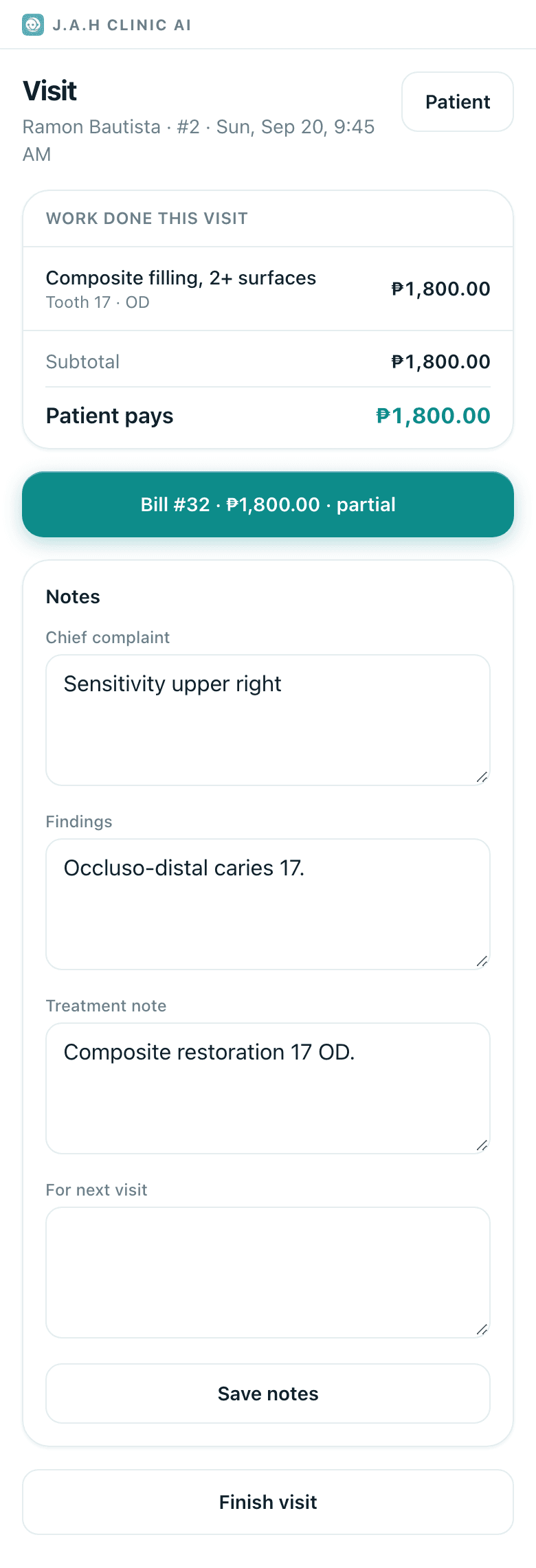
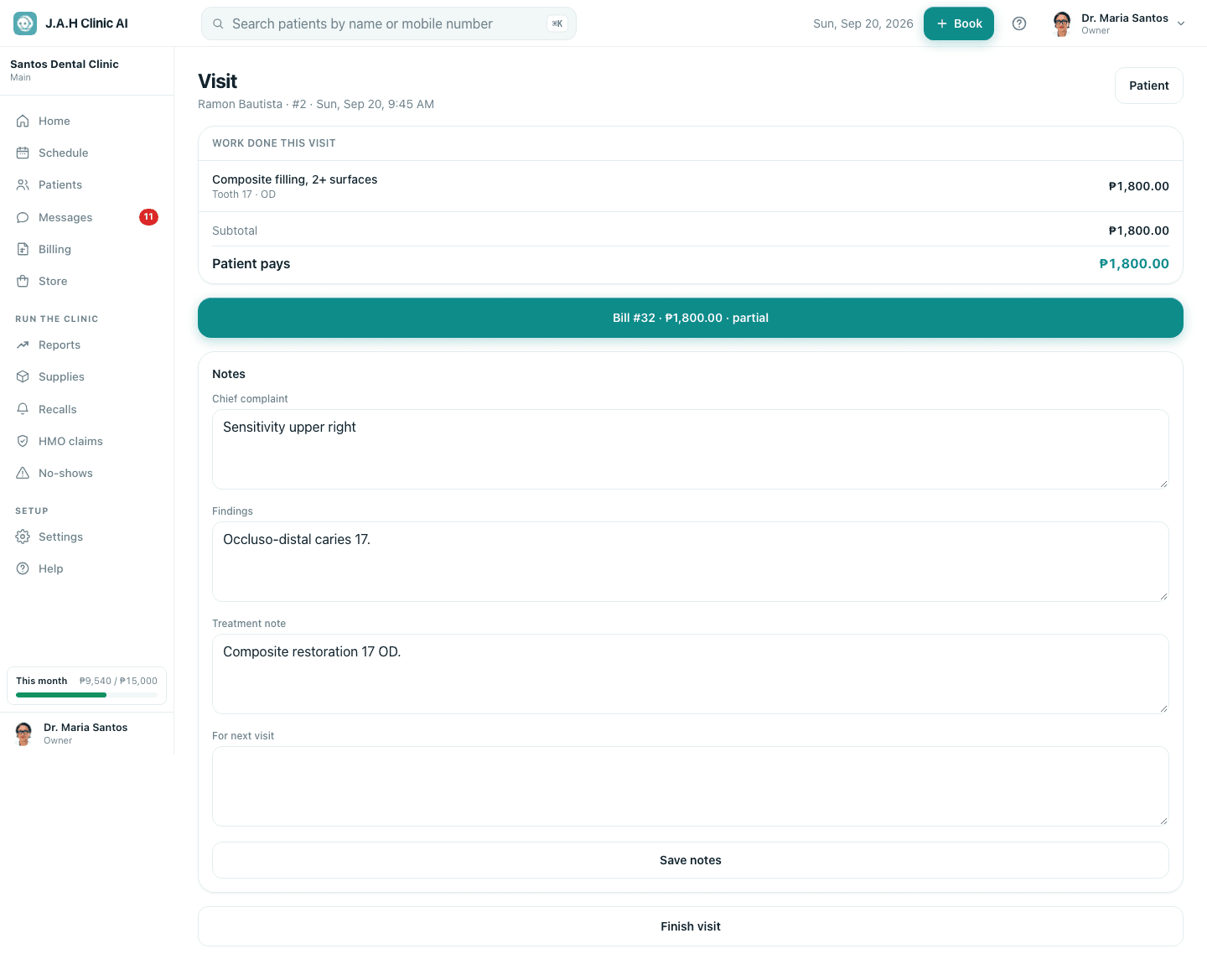
- 2
HMO patient? File the claim first (see HMO patients and claims) so the patient's share is right.
- 3
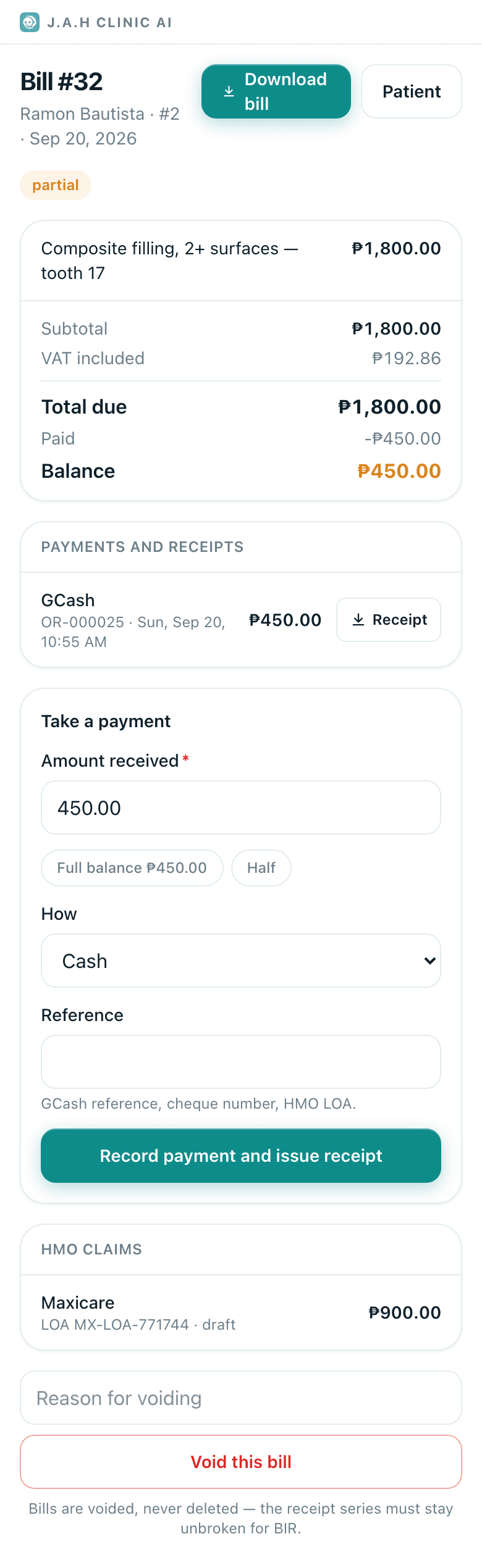
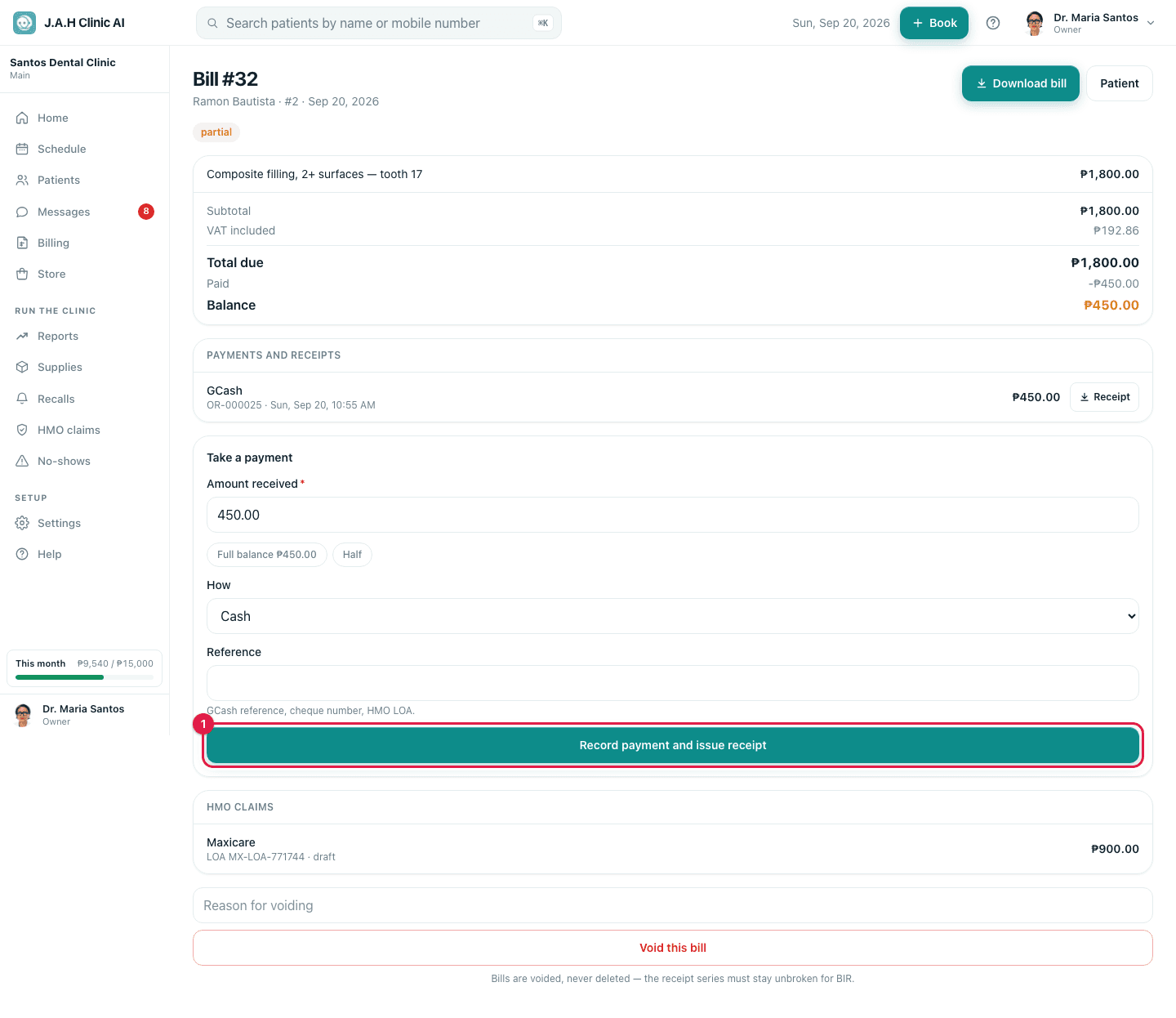
Under Take a payment: tap Full balance, Half, or type the amount. How: Cash, GCash, Card, Bank transfer, Cheque. Reference for anything that is not cash. Tap Record payment and issue receipt.
The official receipt is numbered automatically. A partial payment leaves the balance on the bill and on Billing.
- 4
Give the receipt: tap Receipt beside the payment; a PDF saves to the phone. Send it on Messenger or Viber, or AirDrop it. Download bill gives the full itemised bill.
- 5
Back on the visit, tap Finish visit.
Ask the assistant
Answers from this guide, in plain English. Usually under a minute.It only knows what is in this guide and never sees patient records. Not answered? Search or message the J.A.H team.