
Set up the clinic
Everything printed on a receipt, offered on the booking page or charged to a patient comes from these settings.
- Who
- Owner
- When
- Once, before the first real patient
- Takes
- About 30 minutes
- Where
- MoreSettings
- 1MoreClinic details
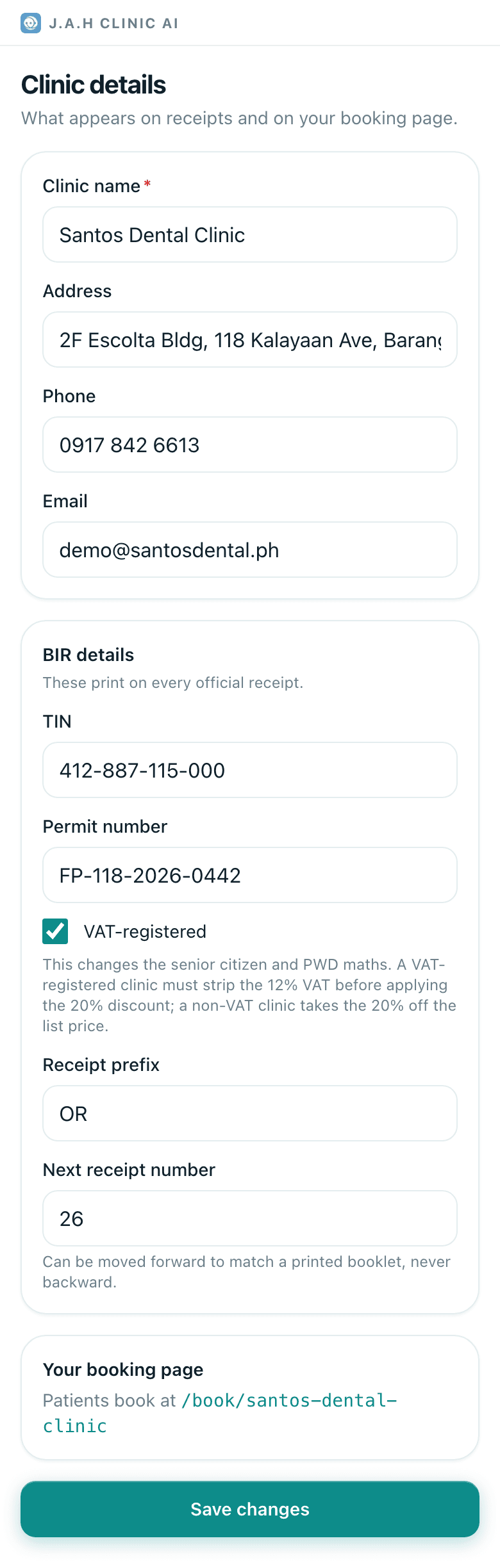
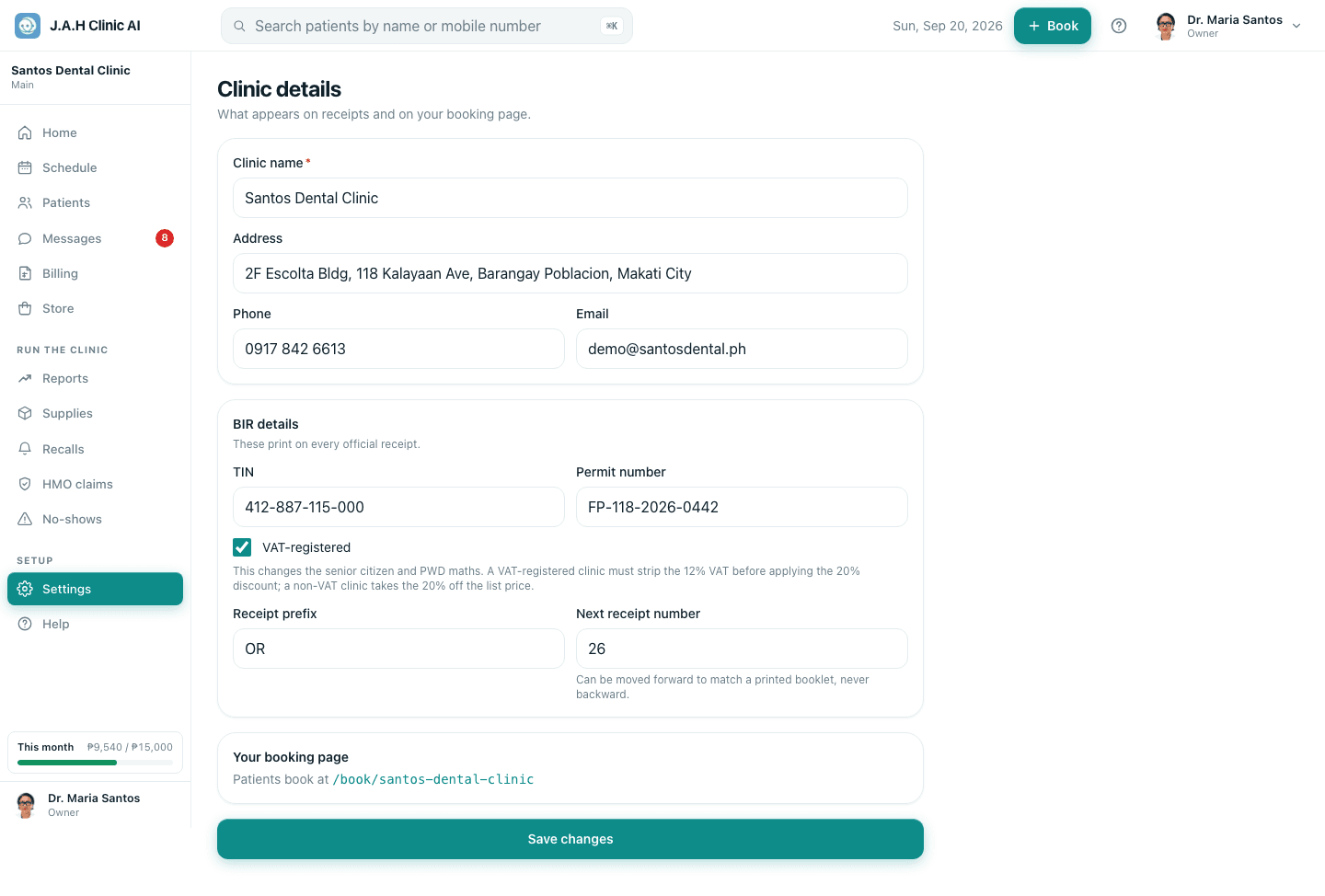
Clinic details. Name, address, phone, email, TIN, permit number. Tick VAT-registered only if you are. Set the Receipt prefix (usually OR) and the Next receipt number to match your BIR booklet. Tap Save changes.
The number can be moved forward later, never backward.
- 2MoreHours and chairs
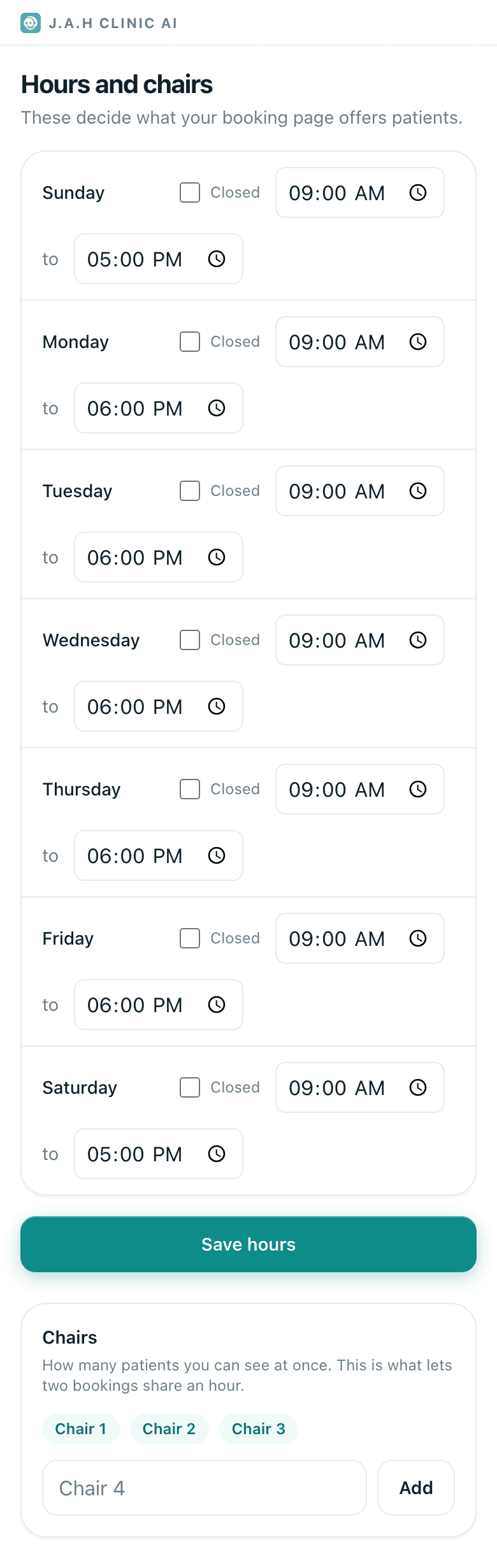
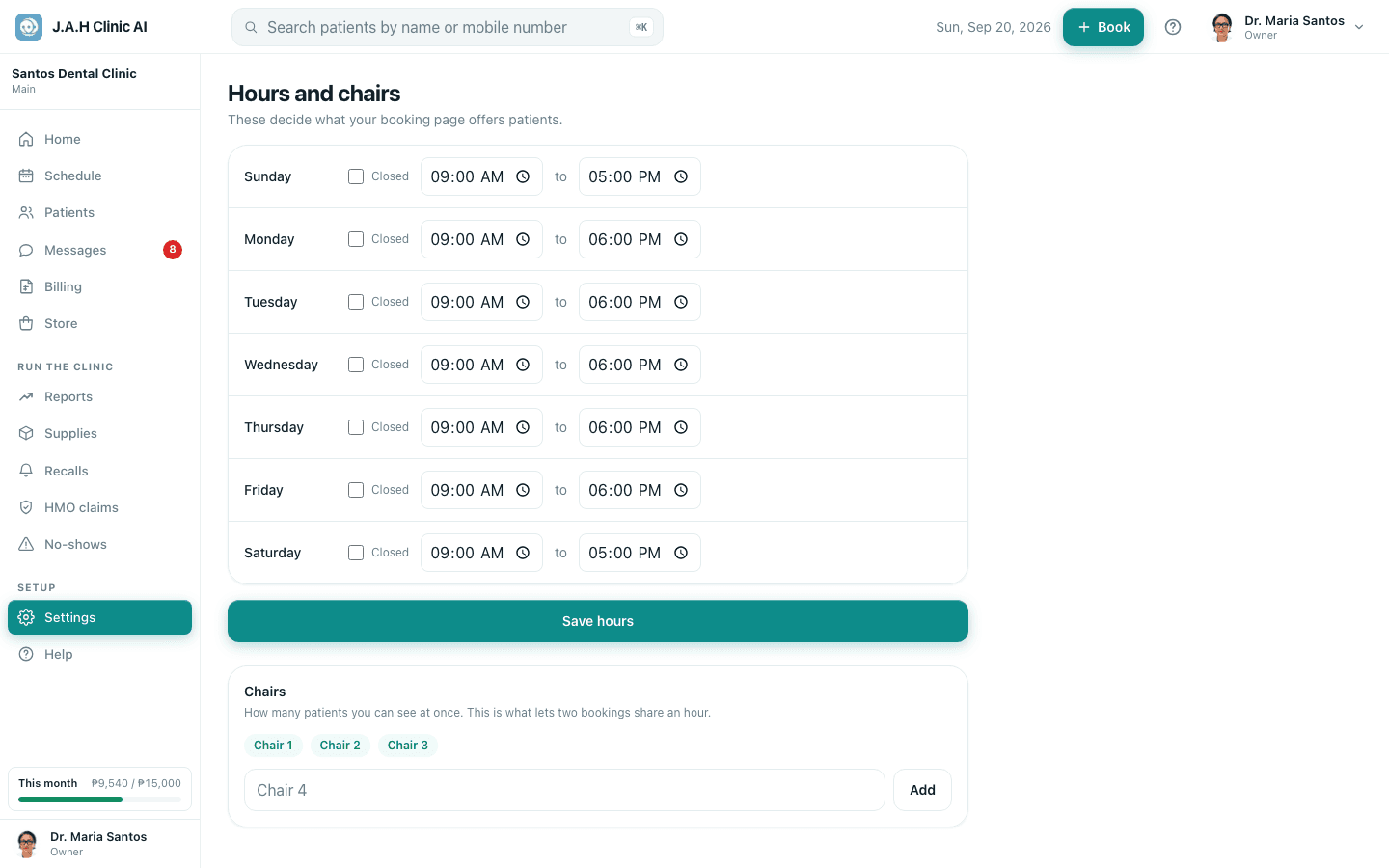
Hours and chairs. Open and close time per day, tick Closed on closed days. Add one chair per operatory with Add. Tap Save hours.
- 3MoreProcedures and prices
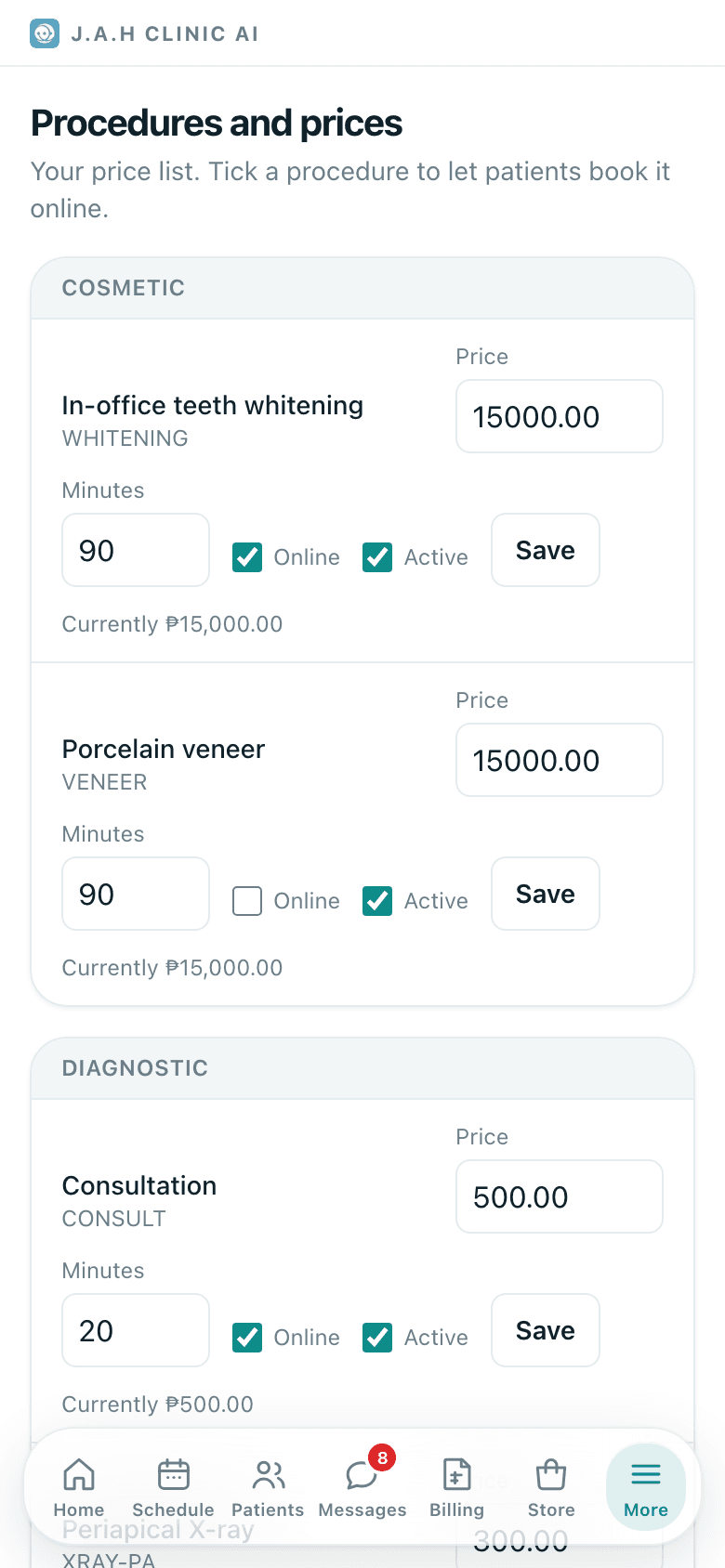
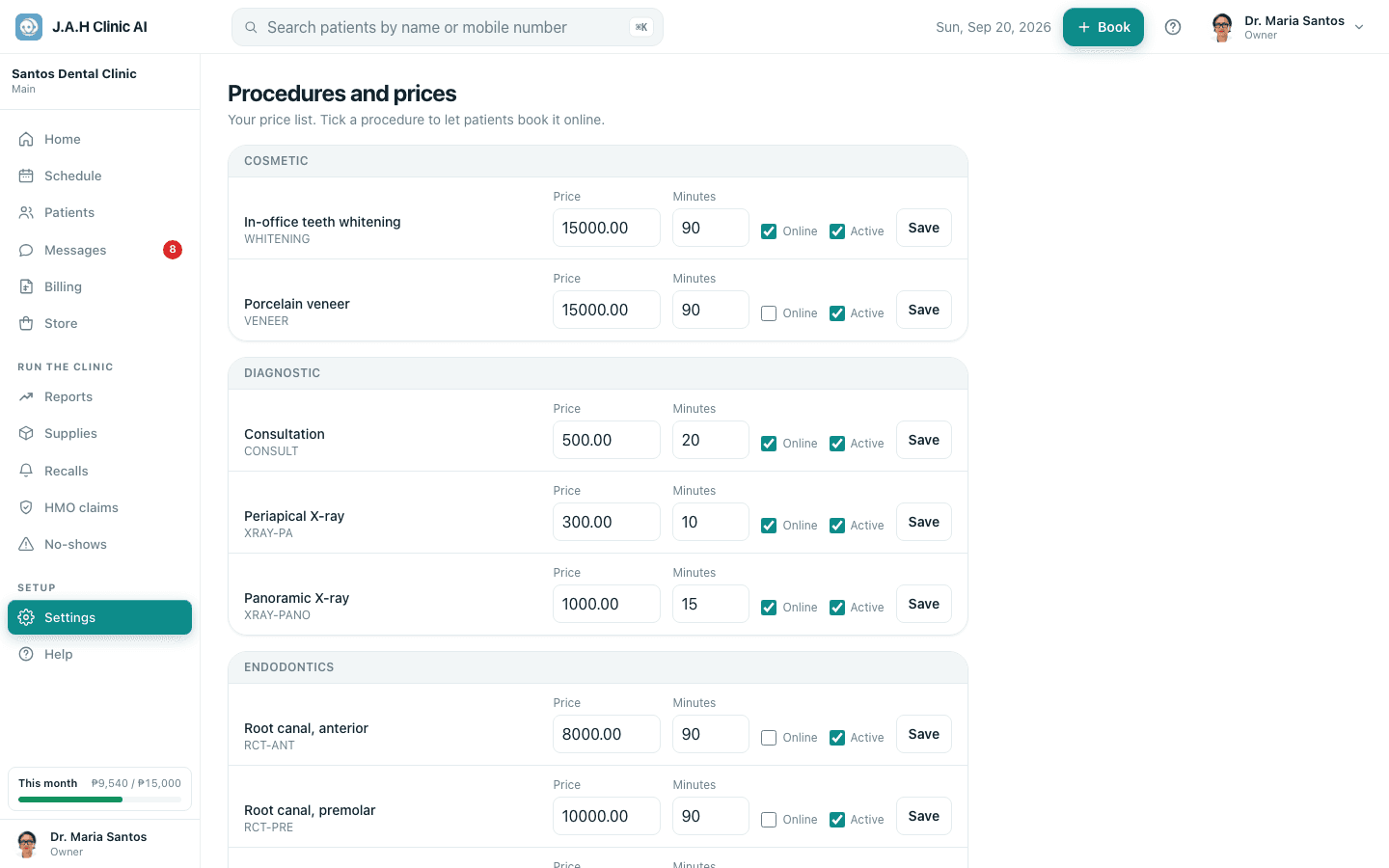
Procedures and prices. Change each pre-loaded price to yours, fix the Minutes (it decides how long a booking blocks), tick Online for what patients may book themselves, tap Save on each row. Add a procedure for anything missing.
- 4MoreStaff and roles
Staff. Invite each person with the right role, then Edit each dentist to enter the professional-fee share (Reports uses it). See Staff joining and leaving.
- 5MoreLicences and permits
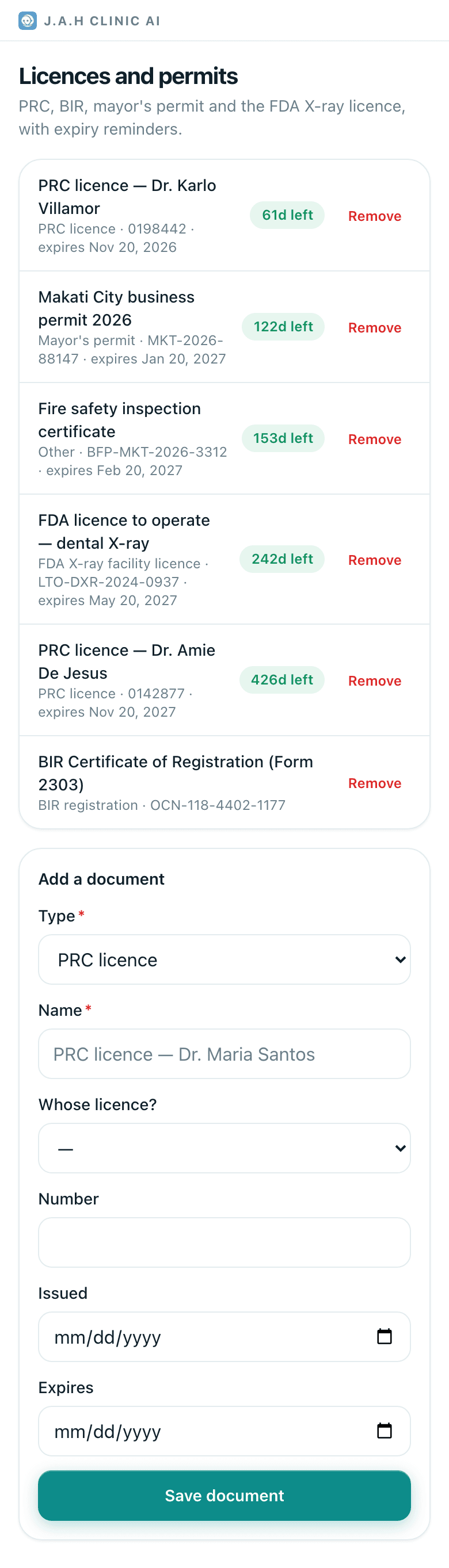
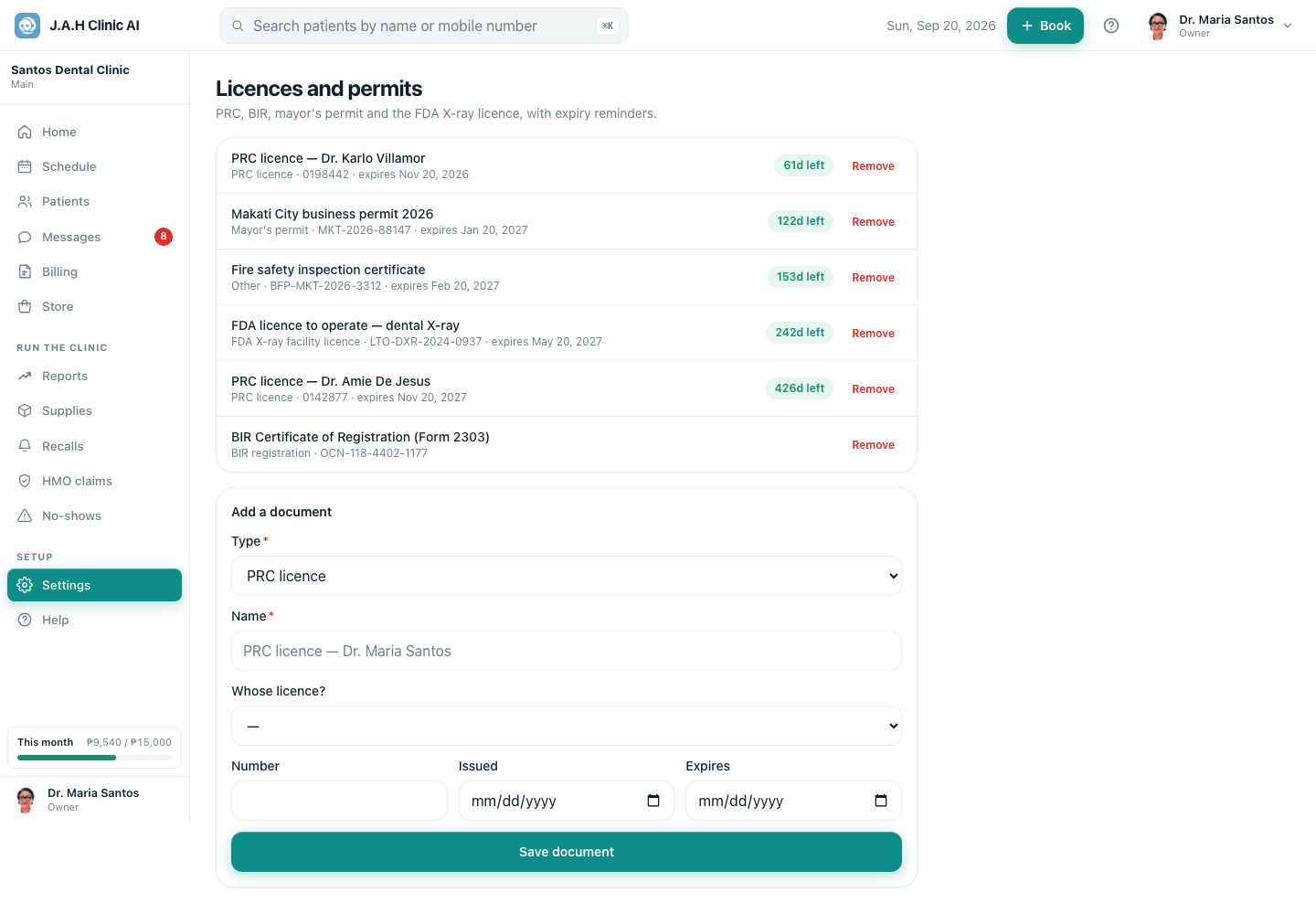
Licences and permits. Add a document for each PRC licence, the BIR registration, the mayor's permit and the FDA X-ray licence, with its expiry. Save document.
- 6Moreyour name
Your profile. Photo, letters after your name, mobile, PRC number, colour. Save changes.
- 7
Publish the booking link. Copy the address shown under Your booking page on Clinic details and put it on Facebook, Messenger and Google.
Ask the assistant
Answers from this guide, in plain English. Usually under a minute.It only knows what is in this guide and never sees patient records. Not answered? Search or message the J.A.H team.