
Register a new patient
Search first, then name, mobile, birthday, the senior or PWD box, the medical history and the HMO card.
- Who
- Front desk
- When
- First call or first visit
- Takes
- 2 minutes, plus the medical form
- Where
- PatientsNew
- 1Patients
Search first. Type the surname or mobile in the search box on Patients. If they exist, open that record instead of making a second one.
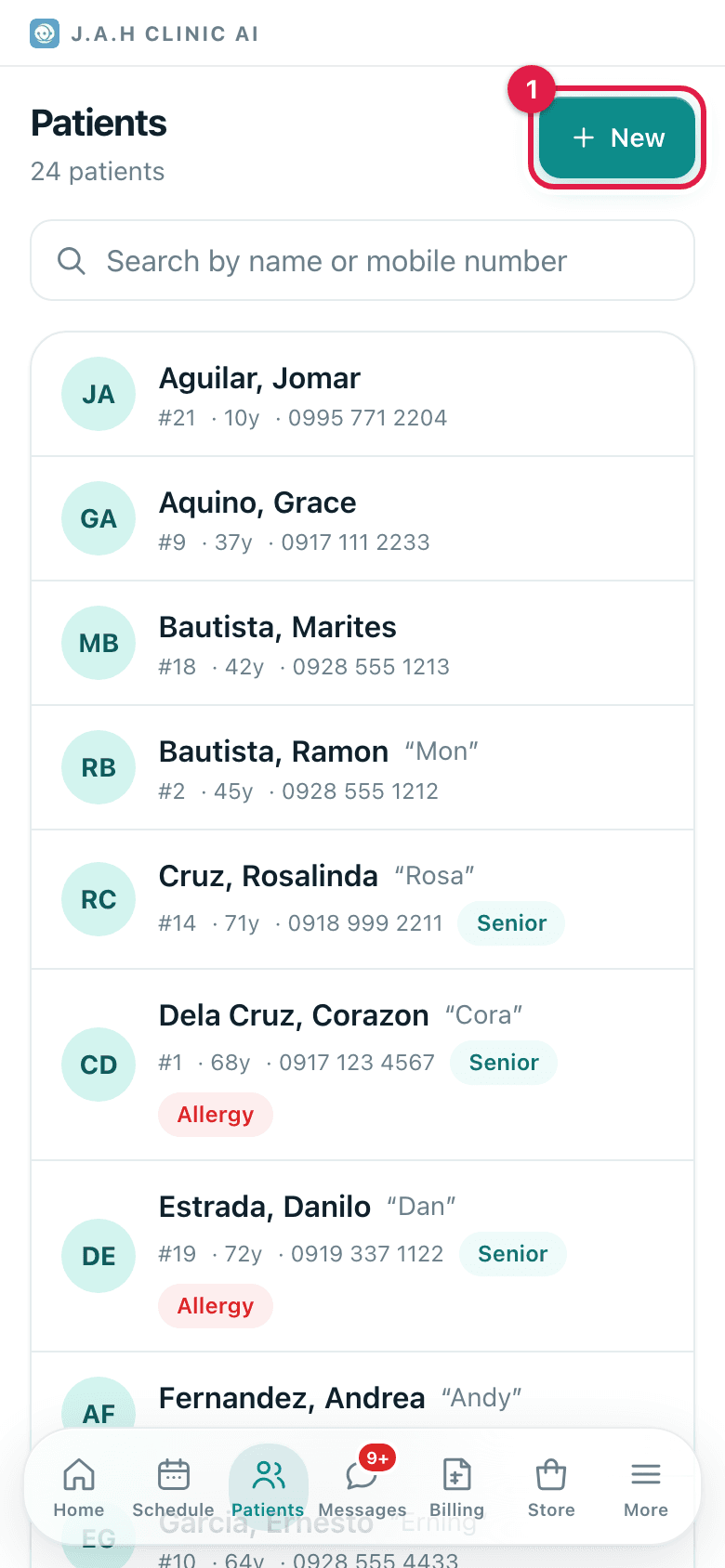
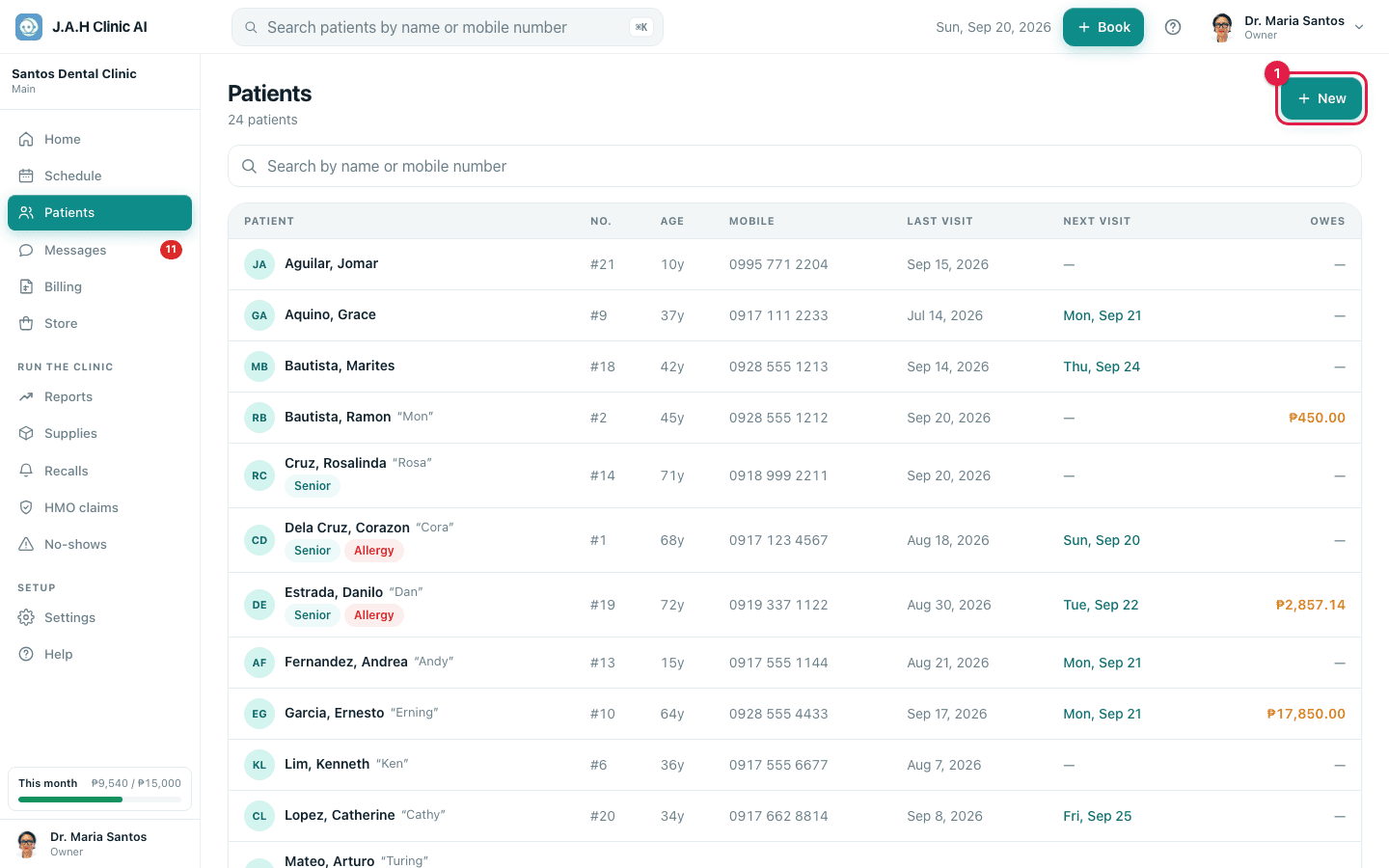
- 2PatientsNew
Tap New. First name, last name, birthday, mobile (11 digits), address. Nickname if they use one.
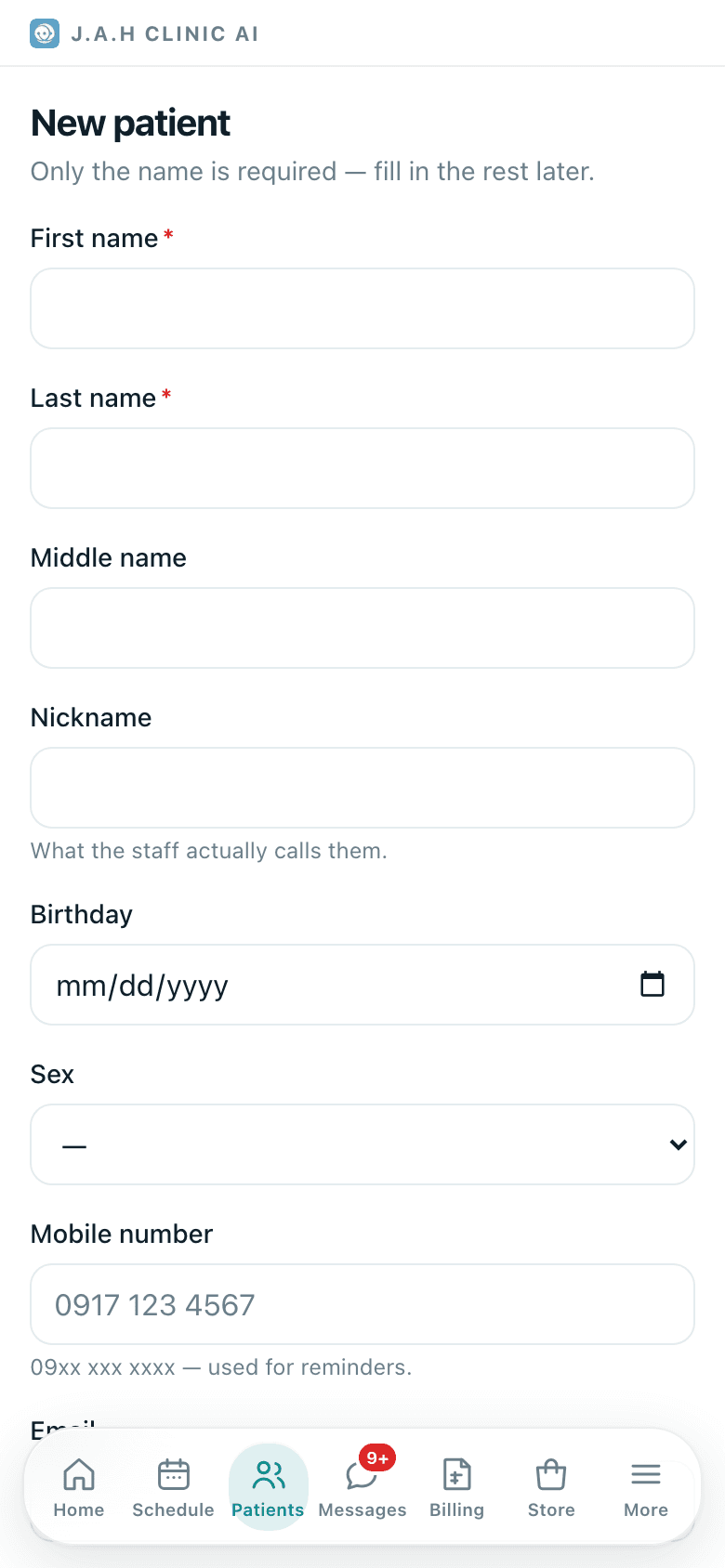
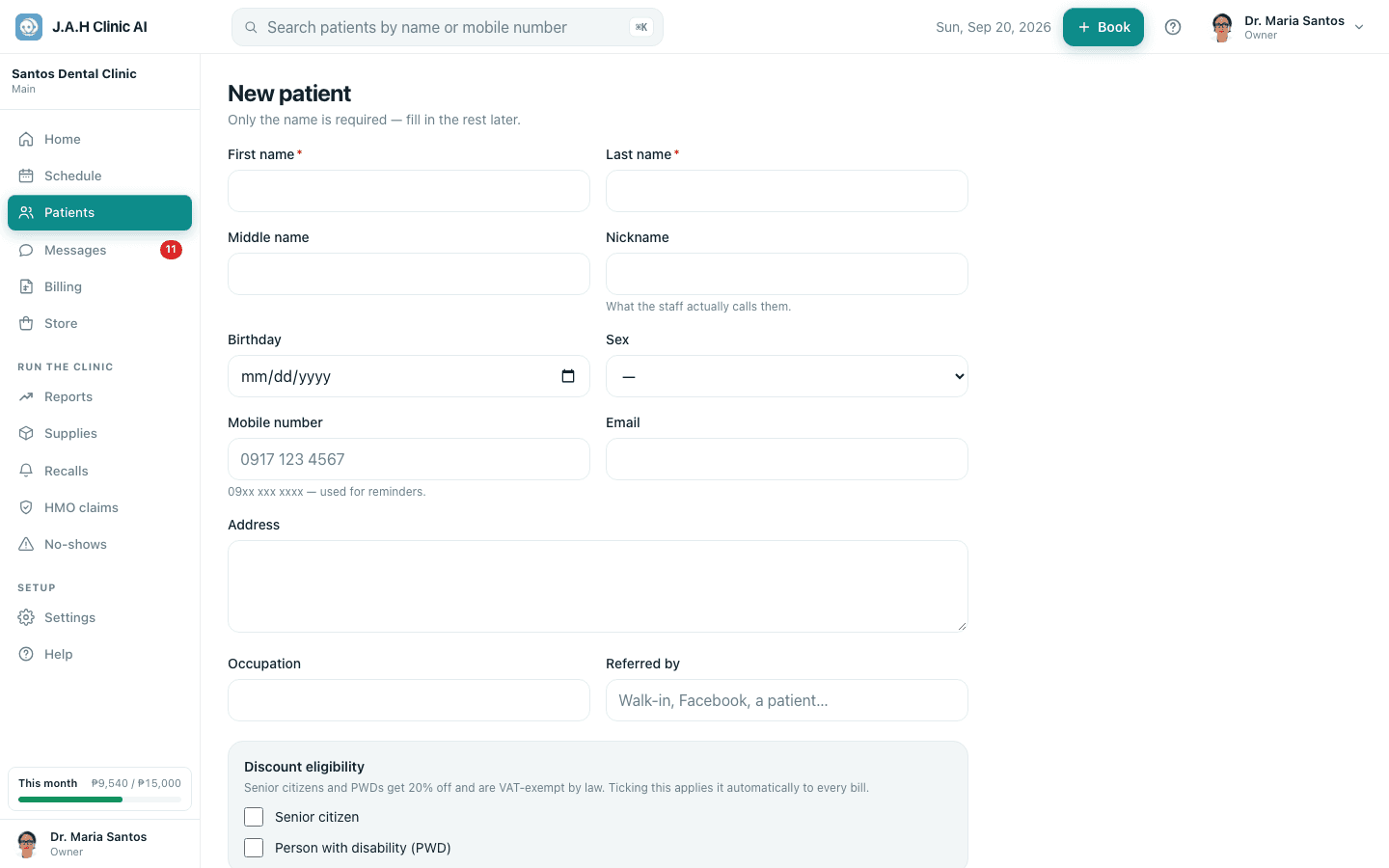
- 3
Senior or PWD? Tick the box and type the ID number. Every bill from now on applies the discount and prints the ID.
- 4a patientTake medical history
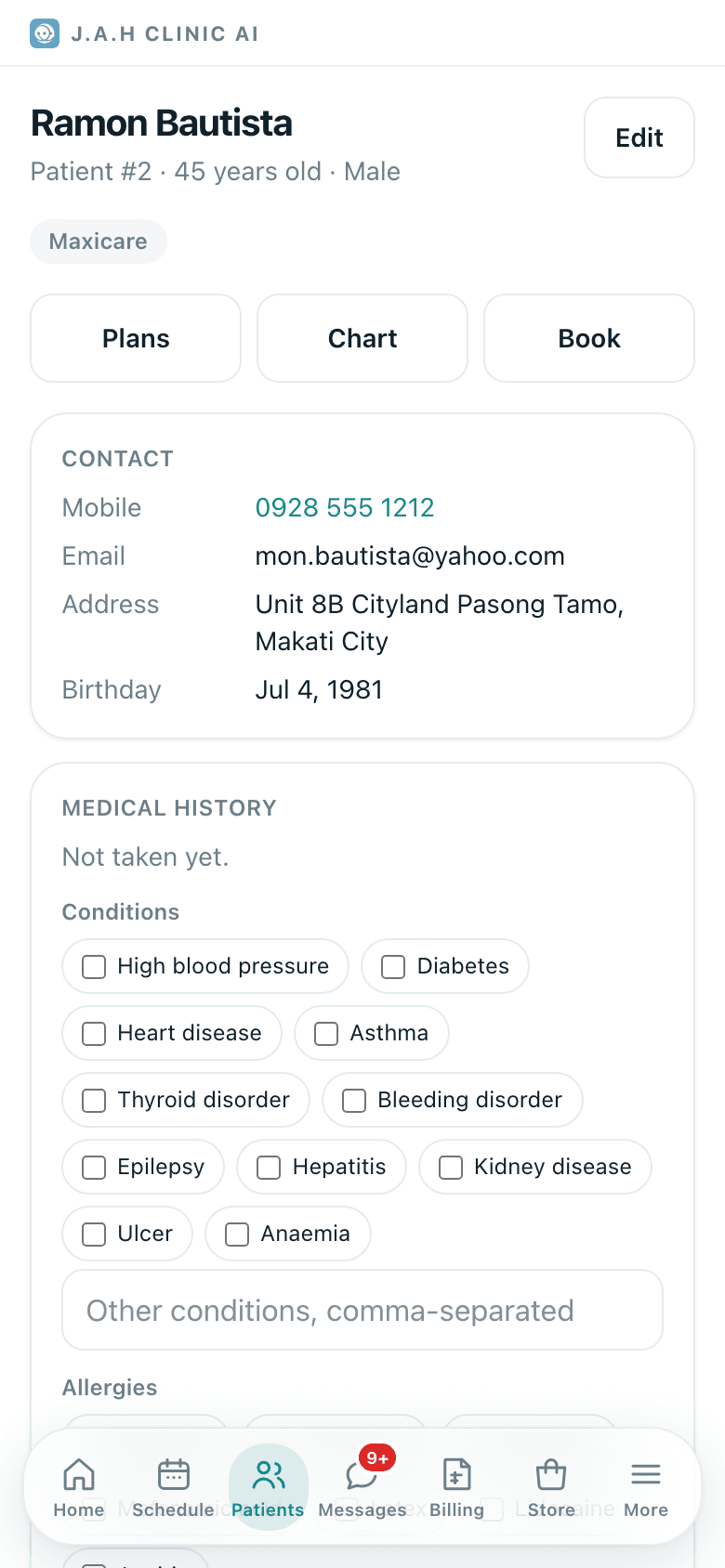
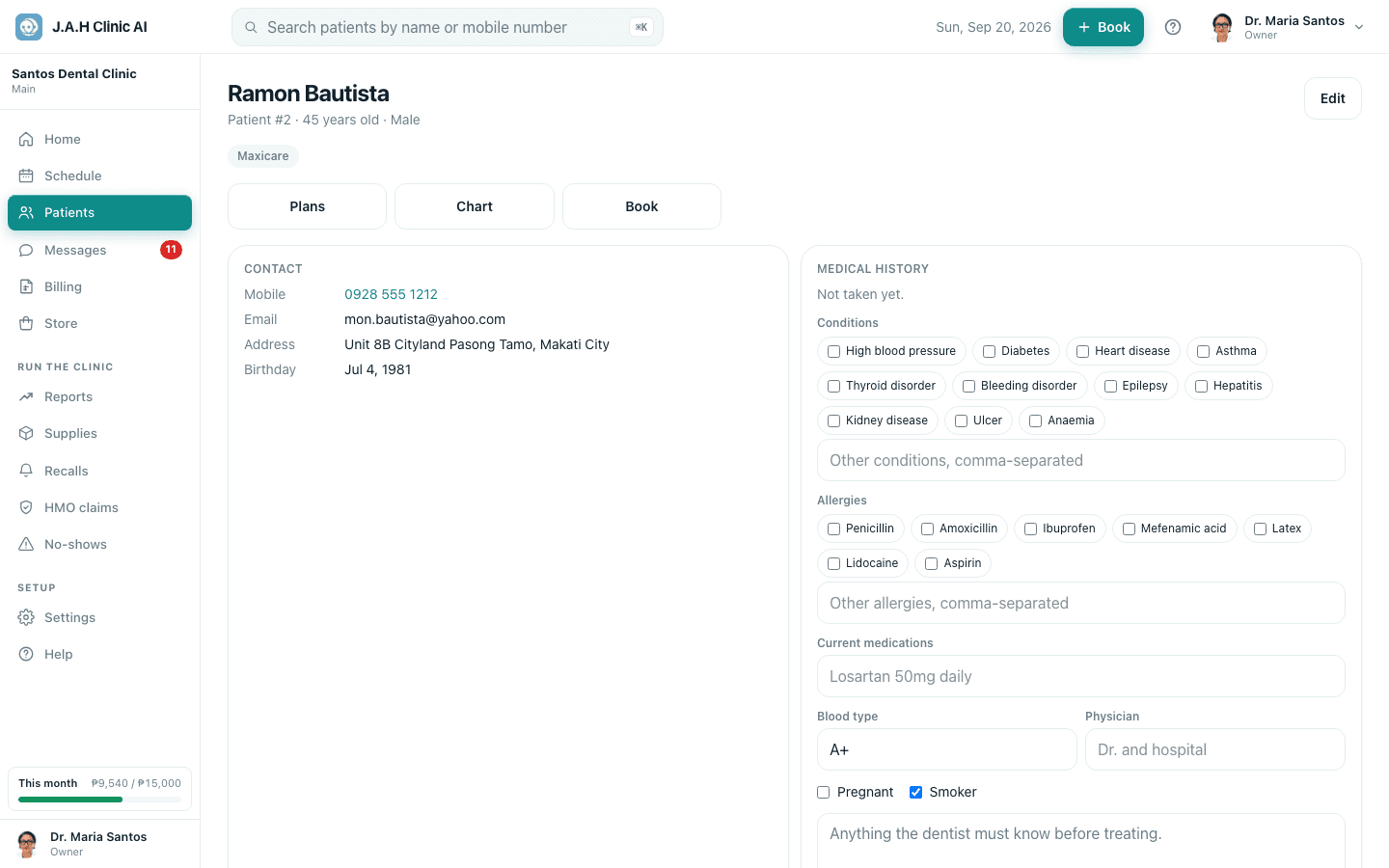
Tap Save patient. On the record tap Take medical history: tick conditions and allergies, add medications, blood type, physician. Tap Save history. Ask the patient; do not leave it blank.
Allergies now show in a red bar on every screen the dentist sees.
- 5a patientHMO cards
HMO card? Under HMO cards choose the HMO, type the card number and valid-until date, tap Add card.
Ask the assistant
Answers from this guide, in plain English. Usually under a minute.It only knows what is in this guide and never sees patient records. Not answered? Search or message the J.A.H team.